On this page, you’ll find all available games on Yucata.de. You can accept invitations to join games or create your own. By default, all games are shown. You can always restore this state using the "Reset filters" button. Initially, you’ll see a categorized list to help you find suitable games more quickly. If you prefer to view all games alphabetically, simply disable the categorized view.
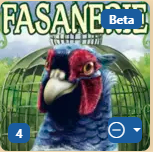 Each game cover includes several elements. In the top right corner, a label may appear if the game is still in beta. You can already play it, but there may still be a higher chance of bugs.
In the bottom left corner, you'll see the number of open invitations you can join.
In the bottom right corner, you can rate the game. This helps you filter the long list more easily — showing only the games you enjoy or hiding those you don’t.
Clicking on the cover takes you to the next step:

If there’s no suitable invitation for you, you can create your own or first learn more about the game and its rules.
In the invitation list, green checkmarks show who has already joined. Gray question marks indicate private invitations where players haven’t responded yet. The icons show that it’s a 4-player game and a rated match. If there’s no trophy icon, it’s a training game.
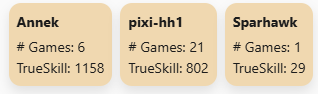
The arrow at the very beginning of the table shows how challenging the game would be for you. It reflects how much the other players have played and their TrueSkill rating:
Using the filters, you can narrow the list to only games with open invitations, and even further to those where all players are currently online. This is a great way to get started, but there’s no guarantee they’ll still be online in ten minutes.