AN ATOMIC STRATEGY GAME BY DÁVID TURCZI AND SIMONE LUCIANI
When Elsa von Frühlingfeld presented her invention to King Frederik Augustus II of Saxony,
people thought it was trickery. She used the recently isolated element Uranium to heat up a jar of
water and used the resulting steam to power an engine that kept the Uranium active via a process
she called "atomization." Her device, the Nucleum, ushered in a new era of energy and prosperity
over the next decades. Saxony went from a minor regional power to the hub of European science and
engineering. Now, a generation later, factories are still hungry for more power, demanding bigger
and more Nucleums to be built, more Uranium imported from the nearby country of Bohemia, and
railways and power lines built across the country to carry the tamed power of the atoms to Saxony's
great cities. Inventors, engineers, and industrialists flock to the Saxon court, vying to be the leader in
this new industrial revolution.
1 MAIN BOARD (DOUBLE-SIDED)
1 SIDE BOARD
4 PLAYER BOARDS
4 GENERAL PLAYER AIDS
13 SETUP CARDS
4 POWER PLANT STANDEES
1 COAL POWER
PLANT STANDEE
10 NEUTRAL URBAN
BUILDING TILES

8 MILESTONE
TILES

24 URANIUM
CUBES

4 NUCLEUM
TOKENS

1 FIRST PLAYER
MARKER
50 CONTRACT TILES (4 INITIAL,
13 SILVER, 18 GOLD, 15 PURPLE)
50 ACTION TILES (INCLUDING
20 BASE ACTION TILES WITH DOTS)
2 SPECIAL ACTION TILES
(FOR EXPERIMENT B)

5 URBAN
RUBBLE TILES

3 MINING
RUBBLE TILES

3 TURBINE
RUBBLE TILES

65 THALER TOKENS
(IN DENOMINATIONS OF 1 AND 5)

46 ACHIEVEMENT TOKENS
(IN DENOMINATIONS OF 1 AND 5)

4 VP TOKENS
(100/200)
1 VP FLAG
TOKEN

5 ENDGAME
CONDITION MARKERS
13 COAL IMPORT
WAGON TILES
 PER EXPERIMENT (X4)

1 EXPERIMENT
BOARD
1 EXPERIMENT
PLAYER AID
1 TURBINE
EFFECT TILE
5 STARTING
ACTION TILES
8 TECHNOLOGY
TILES
PER PLAYER COLOR (X4)

6 MILESTONE
MARKERS

18 WORKER
MEEPLES

4 TURBINE
TOKENS

3 INCOME
MARKERS

1 VICTORY
POINT MARKER
4 MINE TILES
(2X SIZE 2, 2X SIZE 3)
12 URBAN BUILDING TILES:
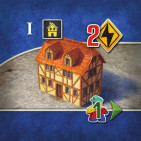
4 RESIDENCES
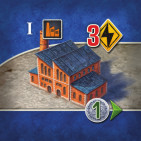
4 FACTORIES
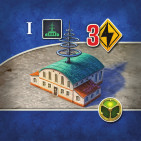
4 LABORATORIES
Components Limitation: Uranium, Thaler, Achievement tokens, and Milestone markers are considered unlimited.
If you run out, use any suitable alternative(s). All other components are strictly limited to what is provided in the game box.
Thaler and Achievement tokens have denominations of 1 and 5 - you may make change any time as necessary.
MAIN BOARD
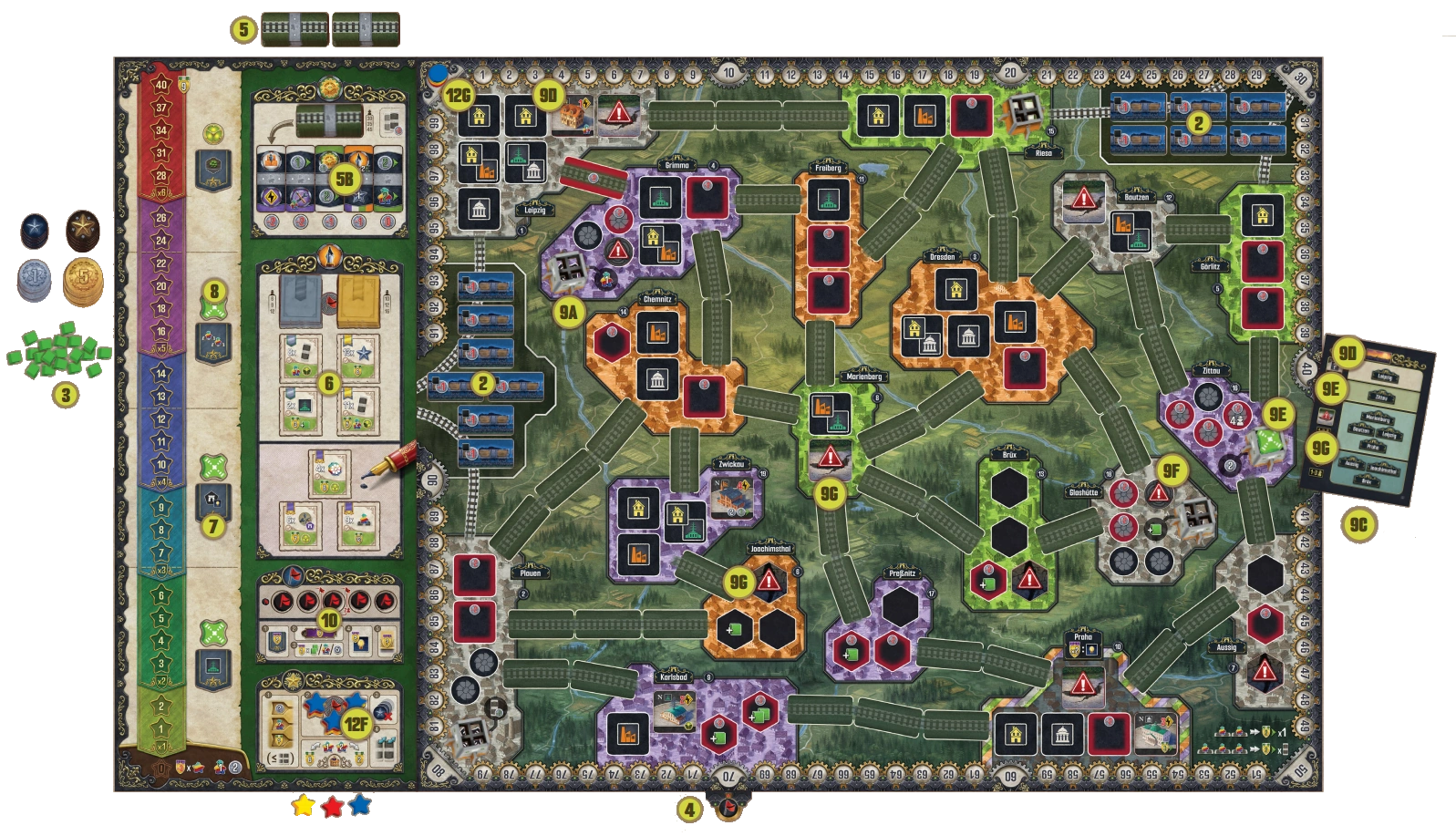
-
Place the main board in the center of the table with the side
matching the number of players facing up, and place the side
board next to the main board.
-
Place the Coal Import Wagon tiles with the side showing
"-1 Thaler" facing up on the indicated spots of the two coal
production areas. Note, when playing with 3 players, leave
one spot on each area empty. Return any excess Coal Import
Wagon tiles to the game box.
-
Place all the Thaler tokens, Uranium cubes, and Achievement
tokens in a general supply next to the main board.
-
Place VP Flag token under "70" spot on the VP Track.
-
Separate the 20 Base Action tiles. Shuffle the remaining 30 tiles
(taking care to not mix in the Starting or Special Action tiles),
and add 10/15/25 of them (when playing with 2/3/4 players)
to the 20 you put aside earlier. Shuffle this pile well, divide it
into three piles, and place one of them in a face-down draw pile
on the designated space at the top of the side board and put
the other two face-down close to the side board.
-
Return the unused Action tiles to the game box.
-
Draw and reveal 5 Action tiles from the draw pile, and place
them on the indicated market spaces on the side board.
-
Separate the Contract tiles by type (Initial, Silver, Gold, and
three types of Purple) based on their backs.
-
Randomly give each player one Initial Contract.
-
Shuffle the rest of the Contracts by type to create five stacks.
-
For a 2-/3-/4-player game, place 6/9/12 randomly selected
Silver Contracts in a face-down stack on the indicated space
on the side board. Return all remaining Silver Contract tiles
to the game box.
-
For a 2-/3-/4-player game, place 10/12/16 randomly selected
Gold Contracts in a face-down stack on the indicated space
on the side board. Return all remaining Gold Contract tiles
to the game box.
-
Place one random Contract of each of the three Purple types
face up on the matching space on the Contract market on
the side board.
-
Return all remaining Contract tiles (Initial and Purple) to
the game box. They will not be used in this game.
-
Draw two Silver and two Gold Contract tiles, and place them
face up on the Contract market on the indicated spaces.
-
Shuffle all the Milestone tiles, and randomly assign one face
up to each of the four indicated spaces of the Milestone track.
Return the remaining Milestone tiles to the box.
-
Place three Nucleum tokens on the indicated spaces near
the Milestone track.
-
Perform the map setup.
-
Place Coal Power Plant standee in Riesa on
 , and 4 other
Power Plant Standees in all the Cities with
, and 4 other
Power Plant Standees in all the Cities with
 .
.
-
Shuffle the 13 Setup cards.
-
Reveal one card from the deck.
-
Randomly select a Neutral Urban Building tile, and place
it an site the indicated the row
the card.
-
If possible, place it on a red space.
-
Otherwise, place it in a space with an icon matching
the tile's icon (choose a space with only one icon, if
multiple options are available).
-
If no such space exists, select another Neutral Urban
Building tile.
-
If a card indicates no Urban Building tile or in a 1- or
2-player game the city's name has
 by it, skip placing a tile.
-
Place the fourth Nucleum token on the power plant in
the city indicated in the second row of the card.
-
If playing with 3 players, place 3 Turbine Rubble tiles on
Turbine spaces marked with the
 icon.
icon.
-
If playing with 3 or fewer players:
-
Place Urban Rubble tiles on one urban site in each of the cities
indicated in the third row of the card. If possible, place them
on red spaces (otherwise, on a space with one icon), then
select topmost/leftmost in the city if there are still multiple
options. If a city is listed twice, place two Urban Rubble tiles.
-
Place Mining Rubble tiles on one mining space in each of
the cities indicated in the fourth row of the card. Place
the Mining Rubble tile on the mining space with the
smallest modifier no Break
ties in favor of red spaces and then randomly if still tied. In
a 1- or 2-player game, if a city's name is followed by a ,
skip placing the Mining Rubble tile.
-
Return any unused Rubble tiles to the box.
-
Repeat steps C and D (draw a new card and place a
Neutral Urban Building tile) three more times (so in total,
a maximum of four Neutral Urban Building tiles will
be placed). If the card drawn would require you to place
a Neutral Urban Building tile in a city that has no empty
space remaining, skip that placement.
-
Return all unused Neutral Urban Building tiles and all
the Setup cards to the box.
-
Place the five Endgame Condition markers on the spaces in
the endgame condition area on the side board.
-
Randomly select the first player, and give them the First Player
marker.
PLAYER BOARD
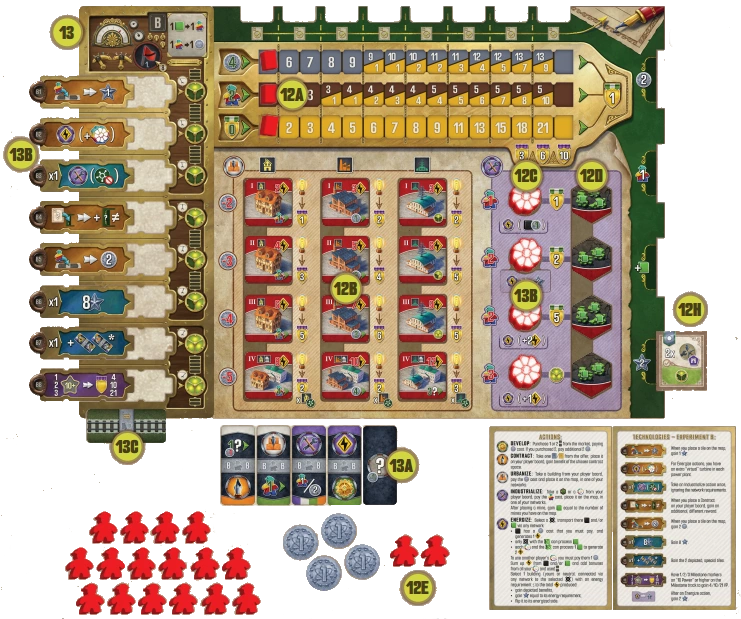
-
Each player takes: a player board (placing it in the middle
of your player area), a player aid, VP token (100/200) and
4 Thaler from the supply. Choose a color, and take all the
components in that specific color:
-
3 Income markers, placing one on the first space of each
income track (so that the starting income of 4 Thaler,
2 Workers, and 0 VP is visible to their left).
-
12 Urban Building tiles, placing them on the spaces that
match their level (Roman numeral) and type with the side
showing their level face up.
-
4 Turbine tokens, placing them on the indicated spaces on
your player board.
-
4 Mine tiles, placing them on the indicated spaces on your
player board in the following order from top to bottom:
Mine tile with 3 Uranium spaces, Mine tile with 2 Uranium
spaces, Mine tile with 3 Uranium spaces, then Mine tile
with 2 Uranium spaces.
-
18 Worker meeples. Place 2 of them in your personal supply
and the remaining 16 meeples into a reserve. (For your first
few games, we strongly recommend starting with 3 Worker
meeples in your supply instead.)
-
6 Milestone markers. Place 3 of them on the three indicated
Milestone spaces near the bottom of the side board and
the other 3 into a reserve next to the side board. (The
stacking order between players does not matter.)
-
1 Victory Point marker, placing it on the "0" space of
the scoring track around the edge of the board.
-
Place the Initial Contract you received earlier during
the setup on the bottommost Contract space on your
player board (without receiving the benefit).
-
Starting with the last player and proceeding counterclockwise,
each player selects one of the four Experiments. Take
the Experiment board, all the technology tiles, the depicted
Turbine tile, Starting tiles, Experiment
player aid belonging to that Experiment. (all marked with the
Experiment letter)
-
Place your 5 Starting Action tiles face up next to your player
board, creating your tile pool.
-
Place your Turbine Effect tile in its dedicated space below
the second Turbine token on your player board. Also, place
your Technology tiles in ascending order in their spaces on
the Experiment board, not fully slid.
-
If any player chose Experiment B, give them the 2 Special
Action tiles to stack face down below the Experiment
Board. Otherwise, return these tiles to the box.
The game is ready to begin, with the first player taking their turn.
You are an industrialist trying to succeed during the economic and
technological boom of 19th-century Saxony, fueled by the invention
and spread of the Nucleum (what - in another timeline - people of
another century would call a nuclear reactor) and its immense power-
generating capabilities. You will strive to earn victory points (VP) by
building and powering Urban Buildings, securing Contracts, and
meeting milestones dictated by King Frederik Augustus.
Gameplay is continuous; players take turns one after another
with no rounds or phases. On your turn, you must do one of
the following:
-
Play an Action tile from your pool to the leftmost free slot
at the top of your player board. Then, resolve one or both
actions shown on the played tile. You may not choose this
option if there are no free spaces available at the top of your
player board or if you have no tiles remaining in your pool.
If you choose this option, you may complete one Contract
(before or after either of your actions).
-
Play an Action tile from your pool to an empty railway
space on the main board - placing one of your available
Workers on it - to become a Railway tile. Then, you and
possibly other players may perform one or more actions,
depending on the color matches made by your placement.
You may not choose this option if you have no suitable tiles
remaining in your pool or if you have no available Worker.
-
Perform a Recharge, allowing you to gain income and
retrieve all Action tiles from the top of your player board.
This may trigger a King's Day Scoring).
Starting with the first player and moving clockwise around
the table, play continues in this fashion until two (or three in
a 2-player game) of the five endgame conditions are triggered.
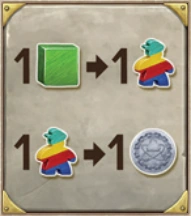
Thaler and Achievement tokens are gained
from and spent to the common supply.
Workers are gained and spent from your
personal supply. You may always spend
1 Worker to gain 1 Thaler but not vice
versa. If you ever must gain a Worker and
no Workers remain in your reserve, you
immediately gain 1 Thaler instead.
Uranium is typically gained when building a Mine. Whenever
you gain Uranium, you must either place it on one of your
Mines or spend it to gain 1 Worker. You may always spend
1 Uranium to gain 1 Worker but not vice versa.
Whenever you gain an income advancement of any kind
(Thaler, Workers, Victory Points), move the corresponding
Income marker the indicated number of spaces to the right
on your player board. If the Income marker is already on the
last space of its income track, receive 1 VP instead for each
advancement you were unable to gain.
TIP: EXCHANGING URANIUM FOR WORKERS CAN BE VERY
USEFUL, BUT REMEMBER THAT YOU MOSTLY GAIN URANIUM
WHEN BUILDING A MINE - AND YOU HAVE ONLY FOUR MINES.
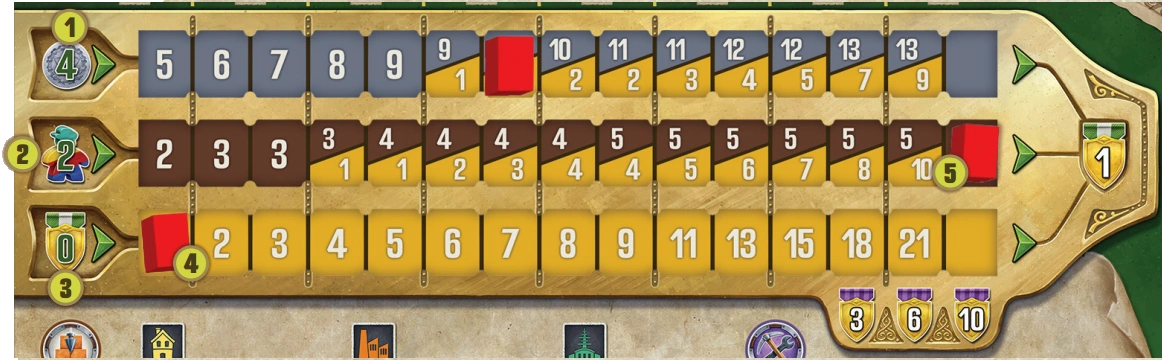
1 THALER INCOME
2 WORKER INCOME
3 VP INCOME
4 STARTING POSITION
5 GAINING ANOTHER WORKER INCOME WOULD RESULT IN 1 VP GAIN INSTEAD.
1 COAL PRODUCTION AREA
2 LONG-DISTANCE RAIL
3 MINING SITES
4 CITIES
5 URBAN SITES
6 POWER PLANT
7 TURBINE SPACE
8 NUCLEUM SPACE BONUS
9 RAILWAY SPACES
10 LINK
The main board shows cities which have a color (green, white,
orange, purple, and the multicolored Praha, which is a special
case) and a name. In these cities, you will find urban sites (black
squares), mining sites (black hexagons), turbine spaces (black
circles), and power plants. On the urban sites, you will be able
to place Buildings. On the mining sites, you will be able to build
Mines, and each of these Mines will store 2 or 3 Uranium. During
setup, some of the building and mining spaces may be completely
blocked (depending on player count), while other building spaces
will contain Neutral Buildings.
Nearly all power plants (the exception being the one in Riesa)
have a dedicated space for a Nucleum and up to five spaces
dedicated to Turbines (black circles), which you and other
players will build throughout the game. The function of
the Nucleum and Turbines will be explained later in the rules.
NOTE: Some urban sites, mining sites, and turbine spaces are
red; these indicate a higher cost of construction, as explained
under their respective actions.
Between these cities, you will find links consisting of up to three
connected empty railway spaces. During the game, you will place
Action tiles on these spaces, creating railways that serve both as
means of transporting Coal and Uranium and relaying electricity
(the latter primarily being because the power lines required
to transmit electricity are built along railway lines). A link
becomes a completed rail line if it has no empty railway spaces.
A completed rail line is owned (equally) by every player who owns
at least one railway within it, as indicated by their Worker on top
of the Action tile. Completing a rail line consisting of more than
one railway space grants an inauguration reward to players who
participated in its completion which will be explained later in the
rules.
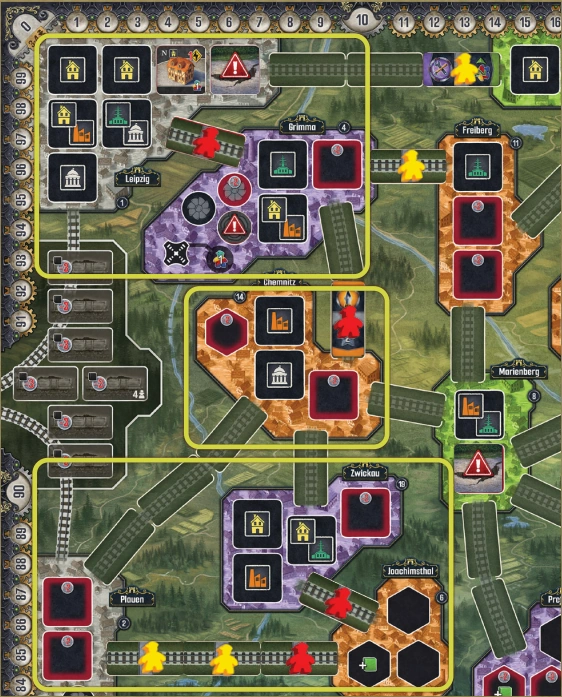 EXAMPLE:
 Red has three networks: one containing Leipzig
and Grimma - but not Freiberg and Riesa (since those
links only have Yellow's Workers present) and not Chemnitz
(since a gap separates Grimma from Chemnitz). Chemnitz
forms a network of its own (because of the presence of
the red Worker), despite not being linked to any other
cities. The third network contains Zwickau, Joachimsthal,
and Plauen, included via the completed rail line that both
Yellow and Red own between the latter two. If any player
places a tile between Chemnitz and Grimma and Red
places a tile between Chemnitz and Zwickau, then Red
would instead have a single network of six cities.
On the map, you create networks. A network is defined as a
grouping of one or more cities connected with each other by
completed rail lines. A city belongs to your network if either: it
is adjacent to your railway or is connected to a completed rail
line with at least 1 railway you own or contains your building.
The size of a particular network is the number of cities in that
group (not the longest path between two cities in the group).
Therefore, a single city with your Buildings, Mines or Turbines
present but not connected to another network counts as a
network of size 1, and a single railway (even if it's not part of a
completed rail line) that touches a city also forms a network of
size 1. You may have one or more networks at any given time,
and you may possibly connect two or more of your networks
later in the game, creating a bigger network instead. Networks
are relevant when constructing Buildings, Mines, or Turbines.
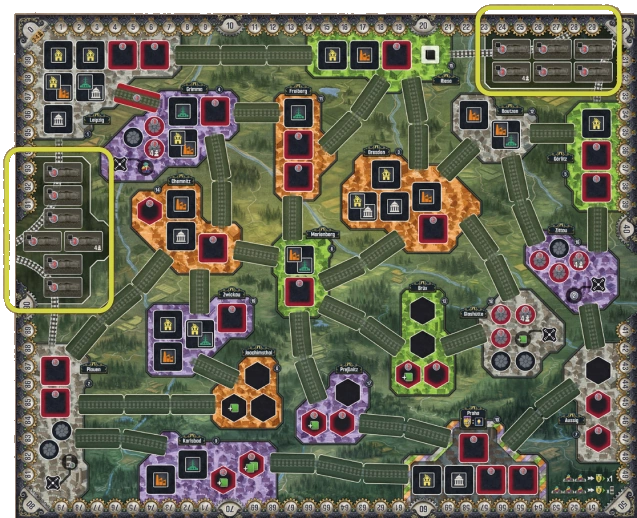
There are two coal production areas: Ruhr to the west and
Silesia on the northeastern side of the map. These represent
coal-rich areas (in western Germany and southern Poland,
respectively) outside of the map. They are connected to some
cities via long-distance rails. Players may import coal from
the respective production areas into the connected cities (Plauen
and Leipzig in the west, and Riesa and Gӧrlitz in the east on
the 3/4-player map and Dresden on the 1/2-player map).
Long-distance rails cannot be used for any other purpose than
importing coal. They are not owned by any player and therefore
they cannot connect or create networks.
Coal, Uranium, and electricity can be transported from one
city to another using completed rail lines (i.e., links without
empty spaces) owned by any player. The ability to transport
resources is relevant when power plants are activated.
This option allows you to resolve actions and fulfill a Contract.
When playing an Action tile, place it on the leftmost empty space
at the top of your player board, then resolve both actions depicted
on the tile, in any order.
Any action can be skipped; nothing is
mandatory
. (see "Actions explained" to learn more
about actions.)
When playing a Special Directive tile (your Starting Action
tile with a black background and no railway tracks on the back),
you may choose and perform exactly one of the 5 main
actions (Urbanize/Industrialize/Develop/Contract/Energize)
with a discount of 1 Thaler.
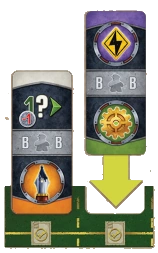 RESOLVE BOTH ACTIONS (IN EITHER ORDER)
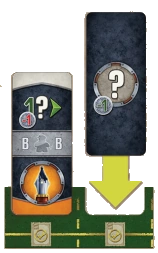 RESOLVE ONE CHOSEN MAIN ACTION (WITH ONE THALER DISCOUNT)
Before resolving an action, between the two actions, or after
completing both actions, you may fulfill
one Contract per
turn
. You can fulfill either any of the Contracts on the right side
of your player board or one of the three Purple Contracts on the
side board. Important: Purple Contracts do not get replaced!
To fulfill a Contract, you must first meet its requirements (see the
Appendix for a complete explanation of requirements), then gain
all of its benefits (VP, Technologies, etc.) and flip that Contract
tile face down, placing it in your player area. When you fulfill
a Contract from your player board, that Contract spot is freed,
becoming available once again for a new Contract.
Action tiles placed at the top of your player board remain there
until you perform a Recharge.
Placing a railway consists of the following steps:
-
Place an Action tile on a link, using a Worker to mark
ownership.
-
Resolve any action(s) with a color match
-
Check if the rail line has been completed. If it has,
-
gain the inauguration reward, if any; then,
-
flip the tile(s) face down.
When placing a tile as a railway, select any empty railway space
on the map that is adjacent to a city and/or railway, place the tile
on it face up oriented in any direction, and place one of your
Workers on the tile.
NOTE: The tile does not need to be placed into your network.
Placing a Railway tile is how you extend your network and/
or create a new network.
If you do not have (or cannot obtain) a Worker before placing
the railway, you may not choose this option.
NOTE: Remember, you can always spend a Uranium in
a pinch, to gain a Worker.
You may never place your Special Directive tile as a railway.
To place a tile on a red railway space (between Leipzig and
Grimma on the 3/4-player map and between Brüx and Praha on
the 1/2-player map), you must first pay 2 Thaler. If you cannot
pay, you may not place a tile there.
Then, check the tile you placed for color matches. Each tile
shows two actions and has two colored edges. If the edge is
multicolored, it is a wildcard. An action creates a color match if
any of the following is true:
-
it is adjacent to a city of the same color,
-
it is a wildcard, and adjacent to any city,
-
it is adjacent to Praha (which matches every color), or
-
it is adjacent to another tile and both adjacent actions are of
the same color or one or both of them is a wildcard. (In this
case, the adjacent action on the other tile is also matched, even
if it belongs to another player.)
Note that an action adjacent to an empty railway space never
creates a color match.
If it helps, you can remember the rules of color matching more
easily if you think of the Action tiles as traditional dominoes.
Resolve your matched actions first from the just placed tile (in
any order), and then from the tiles that are matched. As a result of
placing a tile, you will be able to resolve between 0 and 4 actions
(although resolving four actions is a very rare occurrence).
Any
action can be skipped; nothing is mandatory.
If other players gained matched actions this way, then they may
resolve their actions after you have finished resolving all of yours.
If they cannot resolve their actions at that time, the opportunity
is lost; they may not resolve them later. If more than one other
player gains matched actions as a result of your placing a tile on
the map, they resolve their matched actions in clockwise order
starting from the active player.
TIP: BE MINDFUL OF THE ACTIONS ON YOUR TILES AND IN
THE MARKET. IF YOU PLACE ON THE MAP A TILE WITH AN ACTION
THAT YOU DO NOT HAVE ON ANY OTHER OF YOUR TILES, YOU MAY
LATER HAVE A HARD TIME GETTING A NEW ONE FROM THE MARKET
(IT MAY OR MAY NOT APPEAR), THUS SLOWING YOUR PROGRESS
IN THE GAME.
NOTE: It is not required to match a placed tile. If you place
a tile adjacent to another player's tile without creating
a match, you deny them the action they might have counted
on at the cost of giving up an action yourself.
Whenever a rail line of two or more railway spaces is completed as
a result of a player placing the last tile, all players with one or more
Workers on links making up that rail line receive the inauguration
reward, resulting in an advancement on the VP income track. (See
"Gaining Income" to learn more about incomes.)

REWARD PER TILE
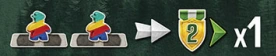
FIX REWARD
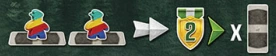
REWARD PER TILE (2-PLAYER MAP)
Some rail lines provide an income advancement for each of your
Railway tiles within that link, while others provide the bonus
once, even if you own multiple railways within the link.
Finally, after gaining any inauguration bonus, flip all railways
within this link face down (to show the railway icon and the fact
that that rail line is complete).
NOTE: While tiles are only flipped when a rail line is
complete and after actions are resolved (to help players see
what actions need resolving), the connection is immediate;
thus, it is possible to grow your network (or start a new one)
by placing a tile and then immediately using that network
in one or more of the actions' resolutions.
Action tiles placed on the map remain here for the entirety of
the game.
This action allows you to place Urban Buildings on the map. Take
an Urban Building tile of your choice from your player board,
paying the cost shown to the left of its row (from top to bottom,
2 Thaler for the first row, 3 Thaler for the second, etc). Place it on
an empty urban site within one of your networks.
-
If you have no networks due to having no pieces (Urban
Buildings, Turbine, Mine, Railway tiles) on the board at
the beginning of the game, you may build anywhere.
-
Building at red urban sites cost an additional 2 Thaler.
-
Regular (black) urban sites must show the icon of the Building
type you are placing.
-
Friendly placement restriction: If possible, you must place
the Building in a single-type space in the chosen city. Red
urban sites do not affect and are not affected by this rule.
If the Action tile shows a discount icon
 /
/ ,
reduce the total
amount to be paid by 1 or 2 Thaler, as depicted.
,
reduce the total
amount to be paid by 1 or 2 Thaler, as depicted.
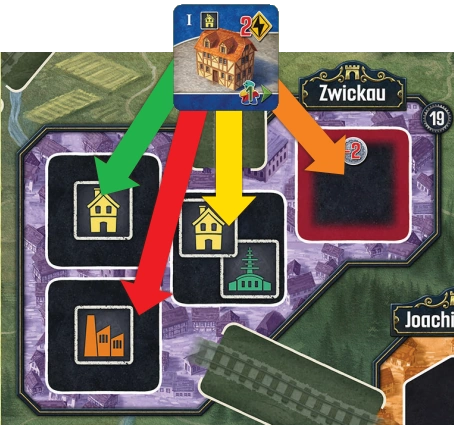
EXAMPLE: Blue wants to build a Residence in Zwickau,
where there are 4 urban sites available. They cannot place
it on the bottommost site (red arrow), because only factories
can be placed there. They cannot place it on the middle site
(yellow arrow) either, because of the friendly placement
restriction. Therefore only the leftmost and rightmost sites
are available to Blue, but since the rightmost site (orange
arrow) is marked with a red border, Blue would have to pay
2 Thaler to place a Residence there. Finally, Blue places his
Residence on the leftmost site (green arrow).
The level-IV Building of each type is also a Government building.
They can be placed into a black space showing either their
column's icon, or a Government icon. (See here for special
rules concerning the scoring of Government Buildings.)
This action allows you to place Mines and Turbines on the
map. Take a Mine or a Turbine of your choice from your player
board, paying the cost shown to the left of its row (from top to
bottom, 1 Worker for the first row, 2 Workers for the second,
etc.), and place it on a corresponding space
within one of your
networks
.
Turbines are placed onto turbine spaces in power plants.
You may build a Turbine regardless of the presence of
a Nucleum in that power plant
. Placing a Turbine unlocks
an ongoing special ability (explained in the Appendix).
TIP: YOU DO NOT HAVE TO BUILD TURBINES OR MINES IN A CERTAIN
ORDER. SOME OF THE TURBINES PROVIDE FREE ELECTRICITY
FOR ENERGIZING THE BUILDINGS. YOU CAN EVEN BUILD
THE BOTTOMMOST TURBINE-MINE PAIR EARLY IN THE GAME TO
GAIN ACCESS TO A LEVEL - 3 TECHNOLOGY.
Mines are placed onto mining sites. Once a Mine is placed,
gain Uranium equal to the number of Mines you have on
the board
, including the one just placed. If the mining site
covered shows  , gain 1 additional Uranium. Remember that
when you are gaining Uranium, you can place it in any of your
Mines - not just the one recently built - but be mindful that
each Mine is limited to 2 or 3 Uranium (as shown on the Mine
tiles).
, gain 1 additional Uranium. Remember that
when you are gaining Uranium, you can place it in any of your
Mines - not just the one recently built - but be mindful that
each Mine is limited to 2 or 3 Uranium (as shown on the Mine
tiles).
-
If you have no networks due to having no pieces (Urban
Buildings, Turbine, Mine, or Railway tiles) on the map at
the beginning of the game, you may build anywhere.
-
To place a Mine or Turbine in a red space, you must pay
2 Thaler. If you're using the Special Directive tile, you can use
the discount icon to reduce this cost.
Each Turbine is paired with a Mine on your player board, shown
with a connecting line between them. Once you have built
a connected Turbine-Mine pair, gain the reward depicted on
the connecting line.
If the Action tile shows an icon  ,
pay 1 Worker fewer than the indicated cost.
,
pay 1 Worker fewer than the indicated cost.
If the Action tile shows , gain 1 Uranium. The Uranium can
be added to any of your Mines in any of your networks, including
this one. You can do this even if you used this action to build a
Turbine. If you have no Mines at this time or you have no empty
spaces on any of your Mines, gain 1 Worker instead. You have to
perform the depicated action to gain the Uranium at the end of
it. You cannot "just" gain the Uranium and not do the action.
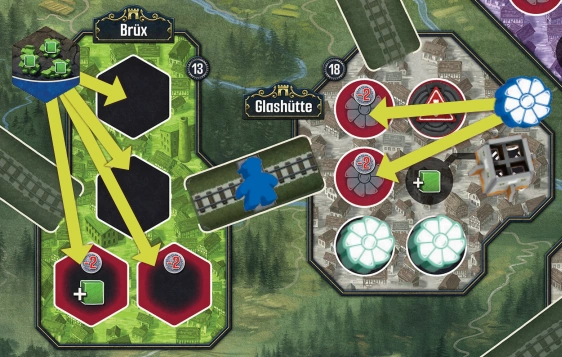 EXAMPLE:
 Blue has an Industrialize action and would like
to place either a Mine or a Turbine. They can place their
Mine in Brüx on either black site. They can also place it
on a site with a red border and + 1 Uranium, but paying
2 Thaler for that. They can also place it on a site with only
a red border paying 2 Thaler, but it wouldn't benefit
them at all. They may also decide to build a Turbine in
Glashütte, but there are only red sites available, meaning
that Blue would have to pay 2 Thaler to place their Turbine
there.
This action allows you to gain additional Action tiles. Purchase
one Action tile from the market, paying the Thaler amount (0 to
2) indicated below it. Then, you may pay additional 2 Thaler to
repeat this, paying the second tile's cost as well. After purchasing
1 or 2 tiles, slide all remaining tiles to the right to close the gaps in
the offer, and refill the offer from the draw pile. If the draw pile is
empty, refill it with one of the piles you have placed outside the
side board during setup. If draw pile is empty and you cannot refill
it - this triggers one of the endgame conditions.
If the Action tile you played this turn shows a discount icon
/,
reduce the total amount to be paid by 1 or 2 Thaler,
as depicted.
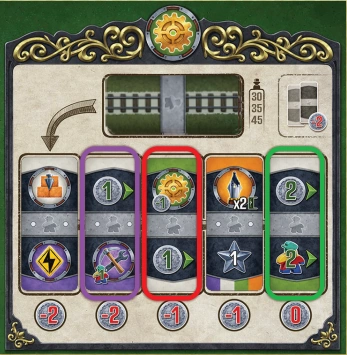 EXAMPLE:
 Teal has 4 Thaler and is performing a Develop
action. They really want to buy the tile that allows them
to industrialize with a discount of 1 Worker which costs
2 Thaler (Purple). Teal would also like to buy another tile,
so they have to pay 2 Thaler to have that possibility. That
leaves them with 0 Thaler, so the only tile available to them
is the rightmost one (Green). Teal would prefer to buy the
leftmost tile costing 1 Thaler (Red) and they could buy it if
they used their Special Directive tile for that action or any
other Action tile with a Develop action with a discount.
This action allows you to collect Contracts. Take one Silver
or Gold Contract from the offer, and place it on any empty
Contract space on the right side of your player board, then receive
the corresponding reward shown on that Contract space. If
the Action tile shows  icon, receive the shown reward twice.

Gain 2 Thaler.
Gain 1 Worker from your reserve.
Add 1 Uranium to one of the Mines you own
on the map.

Gain 2 Achievement tokens.
If you do not have an empty Contract space, you may not resolve
this action. You cannot remove or replace Contracts present on
your player board, nor can you keep a Contract in your hand or
player area (i.e., to place it on your player board later).
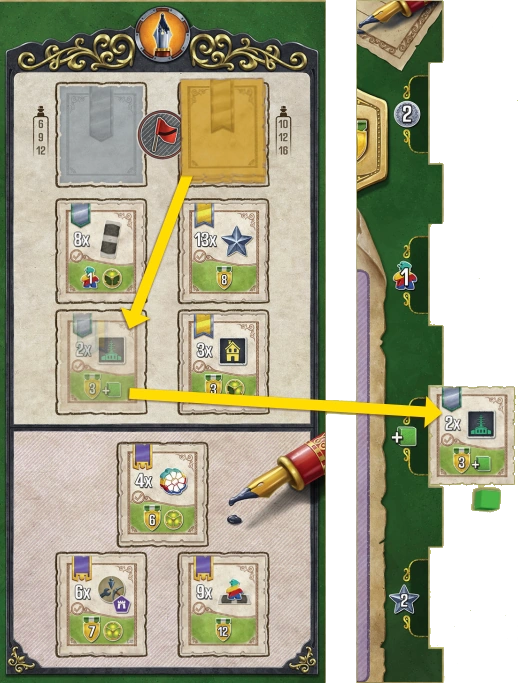 EXAMPLE: Yellow plays an Action tile that allows them to
perform a Contract action. They can choose from a 2 Silver
and 2 Gold Contracts, because Purple Contracts cannot be
taken this way. They decide to take the "Build 2 Laboratories"
Contract. After that, Yellow has to place it on their player
board. They choose the
spot to place the Contract. Yellow
immediately receives 1 Uranium to put in one of their Mines.
Because the Silver Contract stack is empty, a Gold Contract is
drawn in place of just one taken.
EXAMPLE: Yellow plays an Action tile that allows them to
perform a Contract action. They can choose from a 2 Silver
and 2 Gold Contracts, because Purple Contracts cannot be
taken this way. They decide to take the "Build 2 Laboratories"
Contract. After that, Yellow has to place it on their player
board. They choose the
spot to place the Contract. Yellow
immediately receives 1 Uranium to put in one of their Mines.
Because the Silver Contract stack is empty, a Gold Contract is
drawn in place of just one taken.
Since Yellow has already built 2 Laboratories, they can now
fulfill that Contract to gain 3VP and 1 Uranium.
After taking a Contract, draw a new Contract of the same color
(Silver or Gold) from the respective draw pile to refill the empty
space in the offer. If there are no more tiles of the required color,
draw a tile of the other color instead. If there are no more tiles of
either color remaining in the draw piles, leave the space empty.
Drawing the last Contract from the last remaining pile is another
one of the endgame conditions. Purple Contracts
cannot be taken with Contract Action.
You treat them as
yours in terms of fulfilling them, but whoever is first takes
the Contract from the side board making it impossible for
other players to fulfill it.
TIP: FULFILLING CERTAIN CONTRACTS IS ONE OF TWO MAIN
WAYS TO GAIN TECHNOLOGIES.
When you gain a Technology as a reward (usually via completing Contracts or energizing Laboratories), you must immediately
unlock a single Technology or gain victory points equal to the level of the gained reward.
When unlocking a Technology, select one with a level equal to or lower than the level of the gained reward and slide its tile to
the right into its slot on the Experiment board.
There are three types of Technologies:
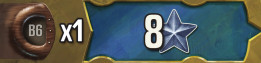
|
Immediate
abilities
[blue]
|
You must either resolve the entirety of this effect when you unlock it or
forfeit it; the effect cannot be stored for later use. The effect is a one-time
use and therefore those Technologies should be flipped after use.
|
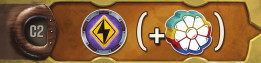
|
Ongoing
abilities
[brown]
|
Ongoing abilities have a trigger depicted on their left side and a benefit
or an action modifier in parenthesis depicted on the right side. From
the moment you gain this Technology, every time you meet the condition,
you gain the benefit or apply the modifier to the triggering action.
|
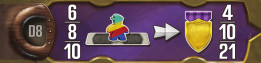
|
Ultimate goal
[purple]
|
If unlocked, your 8th Technology provides victory points that are scored at
the end of the game if you meet its condition.
|
(See the appendix for the complete list of Technologies.)
Unlocking all 8 of your Technologies is one of the endgame conditions.
This action allows you to power up Buildings, gaining you
immediate benefits and VP at the end of the game. When you
choose to Energize, perform the following steps:
-
Select one power plant on the map (in Riesa, Zittau,
Glashütte, Grimma, or Plauen).
-
Transport coal and/or Uranium from any number of
locations via completed rail lines to this power plant. You
may use any completed rail lines - not just your own.
-
For coal: import any amount from either/both coal
import site(s) first, then transport it to the power plant.
-
For Uranium: transport up to the allowed amount from
your connected Mines to the power plant.
-
Determine the amount of electricity produced.
-
Select a connected Urban Building (yours or Neutral) that has
a requirement equal to or less than the amount of electricity
produced.
-
Receive Achievement tokens equal to the requirement of the
Building and any benefits printed on it.
-
Flip the Building to its energized side.
In order to transport coal, it must first be imported. You can
import coal only if the selected power plant is connected to one
or both coal import areas via completed rail lines (you do not
have to own any of these rail lines) and a long-distance rail. There
is no limit to the amount of coal that you can import, and you
can import coal from all connected coal import areas at the same
time as long as they are connected to your selected power plant.
For each imported coal, pay the cost shown on a Coal Import
Wagon in the selected coal import area, flipping the import tile
to its -2 Thaler side or, if there are no more import tiles on their
1-Thaler side, removing it from the game to reveal the 3 Thaler
cost printed on the board. The coal supply can never be depleted,
but the price always increases toward the maximum of 3 Thaler
as it is imported. If using your Special Directive tile's and/or
a Turbine effect's (on your player board) discount , you can
apply the total reduction in cost to the total amount spent on
coal (and not to the cost of importing each individual coal).
Once imported, the coal is immediately available for use in the
connected power plant.
In order to transport and use Uranium,
the selected power
plant must have a Nucleum
and each of your chosen Mines
must be connected to the selected power plant via completed rail
lines (you do not have to own these rail lines). The amount of
Uranium you can transport is dependent on the total number of
Turbines (regardless of which player owns them) present.
You can transport 1 Uranium by default plus an additional
1 Uranium for each Turbine present (note that Technology
B2/C2 allows you to transport an additional 1 Uranium - see the
Appendix for further explanation). If the Turbine you are using
belongs to another player, you must pay that player 1 Thaler
(you can use the Special Directive tile's discount
to ignore
paying your first Thaler to another player if you did not use it to
import coal - in this case, that player receives their Thaler from
the general supply).
Transported Uranium is considered spent and is returned to
the supply.
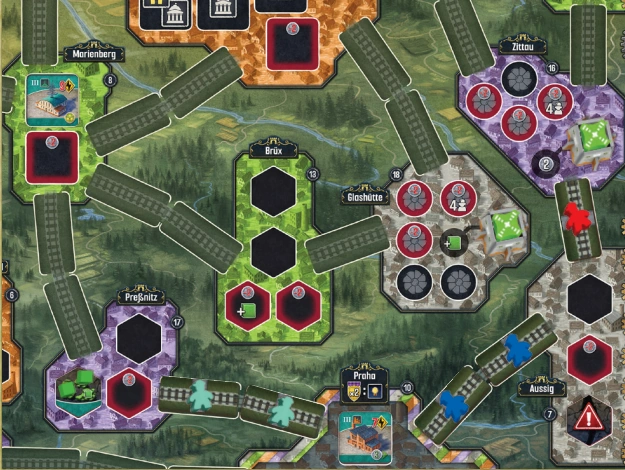
EXAMPLE: Teal can transport Uranium to a power plant in
Zittau even though 2 of the rail lines they are using belong to
other players. Teal can only transport 1 Uranium to Zittau,
because they don't have a Turbine there, but a power plant
with Nucleum can process 1 Uranium by default.
You are allowed to skip transporting (and importing) coal and
Uranium if you can produce sufficient electricity through other
means (see next paragraph).
After transporting any coal and/or Uranium, determine
the total amount of electricity  you have produced:
-
1 electricity per 1 transported coal,
-
2 electricity per 1 transported Uranium (but remember that
you are limited in the number of Uranium you can use in
a power plant),
-
any additional electricity depicted on the used Action tile,
-
any electricity produced by your built Turbines, and
-
any electricity provided by your active Technologies.
Select exactly one Urban Building, either yours or Neutral
(it does not have to be in your network), that is still on its
unenergized side and also connected to the selected power plant
via completed rail lines (you do not have to own these rail lines).
The selected Building must have a requirement that is equal
to or lower than the amount of electricity you produced. Then,
receive:
-
Achievement tokens equal to the electricity requirement of
the Building (any excess electricity is lost) and
-
the printed benefits depicted on the front of the tile
(Thaler, Workers, advancements on income tracks, gaining
Technologies).
-
Finally, flip the tile to its energized side (showing a lit light
bulb in the upper left corner).
NOTE: The VP depicted on the energized side of the tile
are counted only at the end of the game, with energized
Buildings in Praha scoring double.
TIP: THE MAP HAS NEUTRAL BUILDINGS PLACED DURING
SETUP; ENERGIZING THEM CAN GIVE AN EARLY BOOST TO YOUR
ECONOMY AND MAKE YOUR FIRST
RECHARGE
MORE EFFICIENT.
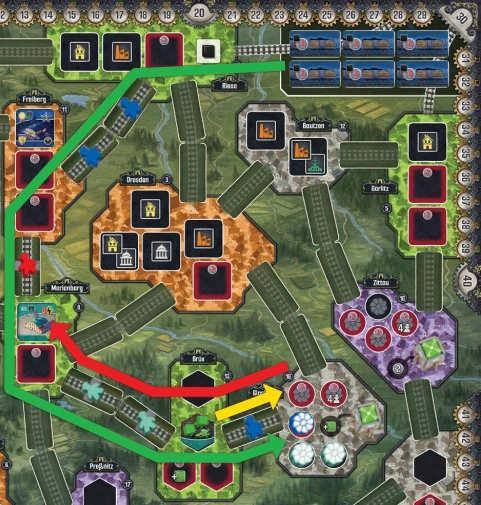 EXAMPLE:
 Teal performs an Energize action. They have
a Laboratory in Marienberg that requires 9 electricity. Since
Teal has already built their 3rd and 4th Turbines, they have
3 extra electricity. Teal decides that they will use a power
plant in Glashütte. They transport 2 Uranium from their
Mine in Brüx through Blue’s rail line (yellow arrow). Since
there is a Nucleum in Glashütte, that power plant can process
Uranium. Thanks to their 2 Turbines there, Teal can process
transported Uranium to generate 4 electricity. They are now
lacking 2 electricity. Fortunately, Glashütte is also connected
via various rail lines and long distance rail near Riesa with
a coal production area, so Teal can import 2 coal paying 2
Thaler and flipping 2 Coal Import Wagon tiles to generate
remaining 2 electricity (green arrow). Now, all 9 electricity
is being transported to Marienberg which allows Teal to
energize the building (red arrow). They get 9 Achievement
tokens, Level 3 Technology of their choice and they flip
the building to its energized side.
Other small actions that can be found on the Action tiles, but
cannot be done with Special Directive tile:

Gain 2 Thaler OR 1 Worker.

Advance Thaler income marker by 1.

Advance Worker income marker by 1.

Advance VP income marker by 1.

Gain 1 Achievement token.

Advance any income marker by 1.

Pay 1 Thaler to advance any income marker by 1.
Recharging allows you to gain income, place a Milestone marker
(potentially triggering King's Day Scorings), and retrieve all
the Action tiles from the top of your player board. When you choose
to Recharge, you must perform, in order, each of the following steps:
-
Gain Thaler, Workers, and VP from your income tracks.
-
Place a Milestone marker on the Milestone track.
-
Gain rewards, if any.
-
If a Milestone space becomes empty, perform a
King's Day Scoring.
-
Discard all Achievement tokens you have collected.
-
Retrieve all the tiles from the top of your player board.
The income you gain (Thaler, Workers, and/or VP) is the highest
value that is both
to the left of the marker on the respective
income track and underneath an Action tile
. Note that
the income of the top two tracks (Thaler and Workers) will also
include VP as you advance on them.
At the end of the game, you will score additional VP for reaching
the last three spaces of each income track. These VP are shown
below the income tracks and are not gained when gaining
income.
TIP: WHILE YOU CAN GET A LOT FROM YOUR INCOME TRACKS
DURING A RECHARGE, FOCUSING ON ONE OR TWO OF THEM
INCREASES THE LIKELIHOOD OF GAINING EXTRA VP AT THE END
OF THE GAME.
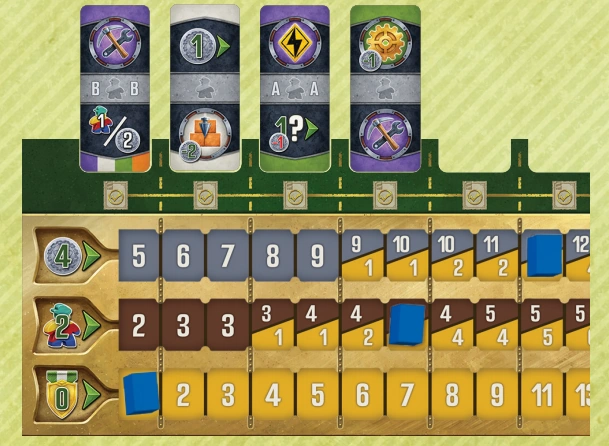
EXAMPLE: From top to bottom, Blue gains 10 Thaler and
1 VP (because of the action tile), 4 Workers and 2 VP, and
0 VP from their respective income tracks.
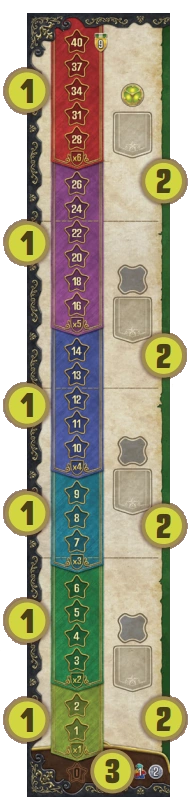
1 TIERS
2 SEGMENTS
3 ZERO SPACE
This allows you to place your Milestone
markers onto Achievement spaces for Final
Scoring and occasionally placing a new
Nucleum on the map.
On the left side of the side board is
the Milestone track, which consists of
Achievement spaces that increase in
value as you advance up the track. These
Achievement spaces are grouped into
six different tiers (1-2, 3-6, 7-9, 10-14,
16-26, and 28-40, depicted in different
colors and showing different multipliers)
on the left and four Milestone segments
(1-6, 7-12, 13-22, 24-40, separated with
lines) on the right. When placing one of
your Milestone markers on the Milestone
track, you can only have one marker in
each tier, but multiple players can have
their respective marker in the same tier,
even on the same space.
To place your Milestone marker on the milestone track, follow
these steps:
-
Determine the total value of Achievement tokens you have.
-
Choose an Achievement space on the track with a value equal
to or lower than the total value of Achievement tokens you
have to place your marker on, remembering that you can only
place 1 marker in each tier.
-
If you already have Milestone markers in all tiers equal to
or lower than the total value of Achievement tokens you
have (or your total is zero), you must place your marker on
the "0" Achievement space and gain the bailout bonus. You
may willingly choose to place your marker on "0" as well.
-
If you place your marker in a Milestone segment that still has
a Nucleum present, place it on a power plant on the map and
receive the depicted bonus
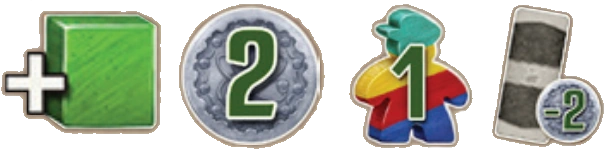 .
.
-
If you placed your marker in the topmost Milestone segment,
gain a level 3 Technology.
-
If you placed your Milestone marker on the topmost space
(40 Achievement tokens), immediately gain 9 VP.
Your first three Milestone markers come from the Milestone
spaces at the bottom of the side board, from left to right. Once
you have used these three milestone markers, you will take any
additional ones from the three Milestone markers placed next to
the side board during setup. Placed Milestone markers remain
on the milestone track for the duration of the game. If you have
no remaining Milestone markers when Recharging, use any
suitable alternative.
The "0" Achievement space is not part of any tier or milestone
segment on the milestone track. When you place a Milestone
marker on this space, you receive a bailout bonus of 2 Thaler and
1 Worker. For each marker you have on the "0" Achievement
space, you will lose 3 VP at the end of the game.
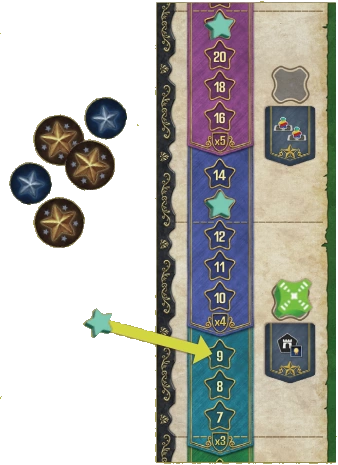 EXAMPLE:
 Teal recharges with 17 Achievement tokens. Even
though they have enough tokens to place their Milestone
marker in the "x5" and "x4" tiers, they already have one
marker each in those tiers, so they cannot do that. Therefore
Teal has to place their Milestone marker in one of the lower
tiers. They decide to place it on the ‘9’ spot, so they will have
‘x3’ multiplier for the Milestone tile "Score for every city
(including Praha) in which you have an energized Urban
Building." On top of that, since there is still a Nucleum in
that segment, Teal gets to place it in a power plant of their
choice, gaining the bonus.
Whenever a Milestone space becomes empty (i.e., you are
the last player to recharge the first, second, or third time), perform
a King's Day Scoring:
-
The owner of the highest Milestone marker on the Milestone
track scores 6 VP. If there is a tie, all tied players score
the same amount.
-
The owner of the second-highest Milestone marker on
the Milestone track scores 2 VP. In a tie, all tied players score
the same amount. Second place is scored even if there was a tie
for the first place.
-
It is possible for you to score for both first and second place (for
a total of 8 VP). Milestone markers on the "0" Achievement
space are not eligible for King's Day Scoring.
Emptying the third (last) Milestone space is one of the
endgame conditions.
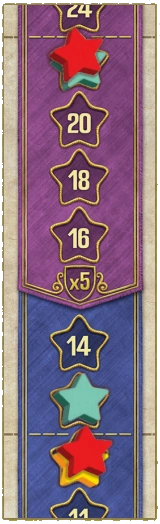 EXAMPLE:
 Red placed their second Milestone marker on ‘22'
spot which caused King's Day Scoring to happen. Since both
Teal and Red are tied first place, they both gain 6 VP.
Second highest Milestone marker also belongs to Teal which
means that they receive another 2 VP. Therefore for this
King's Day Scoring Teal gains 8 VP, Red gains 6 VP and
Yellow gains 0 VP.
Discard all Achievement tokens you have collected, even if you
placed your Milestone marker on a lower position than their
total could have possibly allowed you to.
TIP: DO NOT BE AFRAID TO TAKE A RECHARGE WITH 0
ACHIEVEMENT TOKENS; AN EXTRA WORKER AND SOME MONEY
CAN SERIOUSLY BOOST YOUR EARLY GAME.
Retrieve all tiles from the top of your player board (not from the
map), and return them face up to your tile pool. These Action
tiles are now available for you to use again.
ENDGAME CONDITIONS
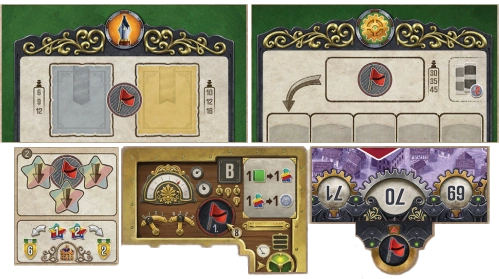
Endgame is triggered when two (three in a 2-player game) of
the following five conditions are met:
-
The Action tile draw piles are empty.
-
Both the Silver and Gold Contract draw stacks are empty.
-
All players have recharged at least 3 times (the Milestone
spaces have no Milestone markers on them).
-
At least one player has unlocked all of their 8 Technologies.
-
At least one player has reached 70 VP.
NOTE: The last two conditions can only be met by one player
- the first to do so.
As soon as an endgame condition is met, the player who met
the condition first (usually the active player) moves the left-most
Endgame Condition marker from the side board's relevant area
onto the condition's dedicated space and scores 3 VP (as shown
in the now revealed space).
After the end of the game is triggered, continue taking turns
until each player has taken an equal number of turns (until
the last player in player order has finished their turn), then you
each play one more turn. It is possible to trigger and score
additional endgame conditions after the end of the game has
been triggered - this has no effect on the end of the game.
Afterwards, proceed to Final Scoring.
If a player has one or more Achievement tokens left at this
stage, they may place a Milestone marker on the Milestone
track as described under "Recharge" but
without triggering
any effects
(King's Day Scoring, Nucleum placement, gaining
Technologies, etc.) nor gaining any income. The limit of
1 Milestone marker per player per tier still applies.
SCORING MILESTONES
For each of your Milestone markers on the Milestone track, score
1 VP for each time you meet the condition shown on its segment's
Milestone tile, multiplied by its tier's multiplier. For each of your
Milestone markers on the "0" Achievement space, lose 3 VP instead.
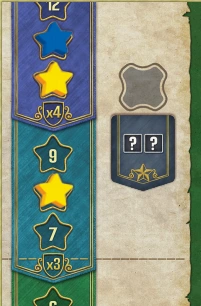 EXAMPLE:
 Blue scores 4 VP for every second Urban Building
they have built, while Yellow scores 7 VP for every second
Urban Building they have built.
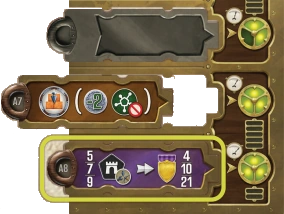
SCORING YOUR ULTIMATE GOAL TEChNOLOGY
If you have unlocked your 8th
Technology, score this goal.
SCORING YOUR LEfTOVER RESOURCES
Score 1 VP for every 2 Uranium in your Mines, 2 Workers in
your personal supply, and 5 Thaler in your player area. Before
scoring your leftover resources, you may still convert Uranium
into Workers and Workers into Thaler.
ENERGIZED BUILDINGS
For each of your energized Buildings, score the depicted number
of VP. Energized Buildings in Praha score double.
Most Buildings indicate a flat VP amount. Government
Buildings , however, show a scoring condition indicating
a Building type (Residence, Factory, or Laboratory); for each
energized Government Building, score the indicated amount of
points for all Buildings of the shown type - including itself,
neutral buildings, and those belonging to you or other players and regardless of whether
they are energized or not - that are
in the same network of yours
as the Government Building in question.
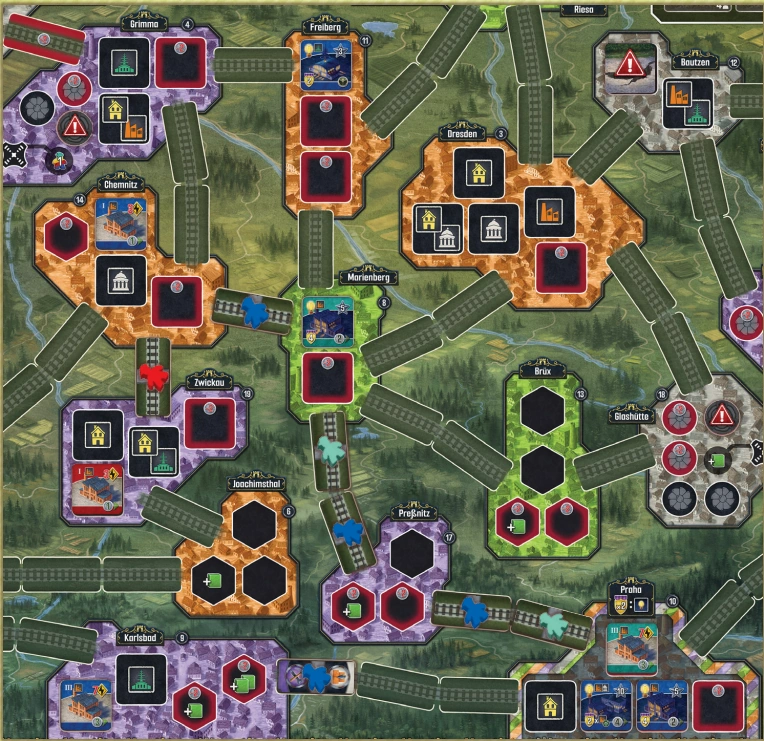 EXAMPLE:
 Blue scores 2 VP for their
energized Laboratory in Freiberg,
8 VP for their energized Factory in
Praha, and 20 VP for their energized
Government Building (counting
5 Factories for 4 VP each).
Note that Blue counts Teal’s tiles—
including the unenergized ones—but
it does not count Red’s because it is not
accessible from Praha via completed
rail lines that Blue owns. Blue does not
score for their own unflipped Factory in
Karlsbad either, because even though it
is within one of their networks, it is not
connected via a completed rail line to
the Government Building in Praha.
SCORING INCOME TRACK BONUSES
Score 3/6/10 VP for each of your income tracks that has its income
marker on one of the last three spaces (as indicated below them).
The player with the most VP is the winner. If there is a tie, tied
players share the victory.
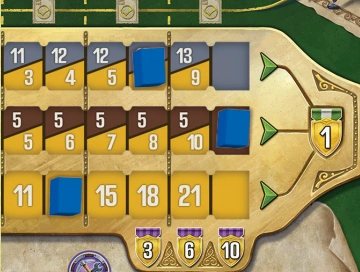 EXAMPLE:
 In this case, Blue scores 3 VP for their Thaler
income track and 10 VP for their Worker income track, for
a total of 13 VP.
-
Praha does not count as a city of any color for
the purpose of fulfilling Contracts.
-
Urban Buildings with 2 icons count for Contracts/
Milestones requiring both, but they count only as
1 Urban Building for Contracts not specifying icons.
-
These Contracts are all minimum requirements; if you
have more, you still can fulfill the Contract.
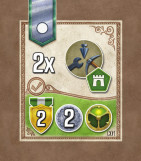
(C01) Have a total of 2 Urban Buildings, Mines,
and/or Turbines in green cities.
Gain 2 VP, 2 Thaler, and a Level 1 Technology.
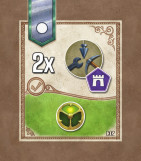
(C02) Have a total of 2 Urban Buildings, Mines,
and/or Turbines in purple cities.
Gain a Level 1 Technology.
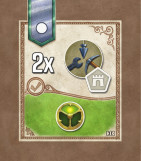
(C03) Have a total of 2 Urban Buildings, Mines,
and/or Turbines in white cities.
Gain a Level 1 Technology.
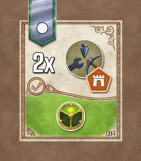
(C04) Have a total of 2 Urban Buildings, Mines,
and/or Turbines in orange cities.
Gain a Level 1 Technology.
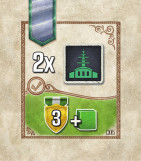
(C05) Have 2 Laboratory Urban Buildings on the
map (energized or not).
Gain 3 VP and add a Uranium cube to one of your
Mines (or gain a Worker).
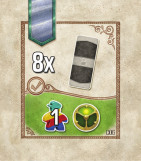
(C06) Have 8 Action tiles (available or on top of your
player board), excluding Railway tiles.
Gain 1 Worker and a Level 1 Technology.
(C07) Have 6 Achievement tokens.
Gain 4 VP.
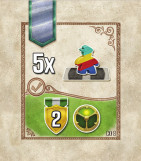
(C08) Have 5 Railway tiles.
Gain 2 VP and a Level 1 Technology.
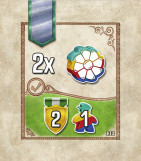
(C09) Have 2 Turbines on the map.
Gain 2 VP and 1 Worker.
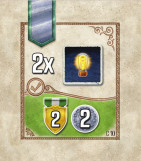
(C10) Have 2 energized Urban Buildings.
Gain 2 VP and 2 Thaler.
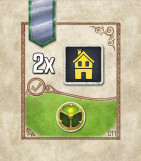
(C11) Have 2 Residential Urban Buildings on the
map (energized or not).
Gain a Level 1 Technology.
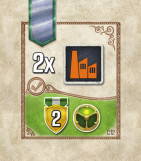
(C12) Have 2 Factory Urban Buildings on the
map (energized or not).
Gain 2 VP and a Level 1 Technology.
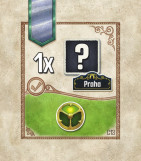
(C13) Have an Urban Building (energized or not)
in Praha.
Gain a Level 1 Technology.
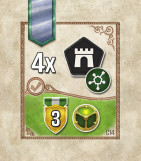
(C14) Have a network of 4 cities.
Gain 3 VP and a Level 1 Technology.
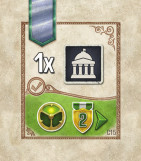
(C15) Have a Government Urban Building on the
map (energized or not).
Gain a Level 1 Technology, and 2 VP income steps.
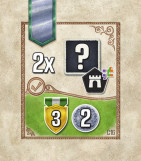
(C16) Have an Urban Building (energized or not)
in 2 cities of different color, excluding Praha.
Gain 3 VP and 2 Thaler.
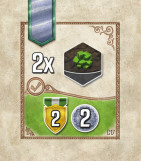
(C17) Have 2 Mines on the map.
Gain 2 VP and 2 Thaler.
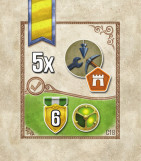
(C18) Have a total of 5 Urban Buildings, Mines,
and/or Turbines in orange cities.
Gain 6 VP and a Level 2 Technology.
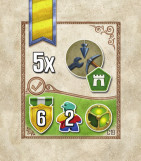
(C19) Have a total of 5 Urban Buildings, Mines,
and/or Turbines in green cities.
Gain 6 VP, 2 Workers, and a Level 2 Technology.
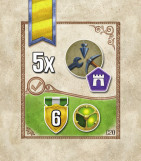
(C20) Have a total of 5 Urban Buildings, Mines,
and/or Turbines in purple cities.
Gain 6 VP and a Level 2 Technology.
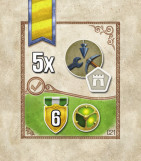
(C21) Have a total of 5 Urban Buildings, Mines,
and/or Turbines in white cities.
Gain 6 VP and a Level 2 Technology.
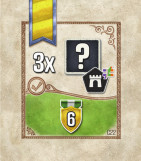
(C22) Have at least one Urban Building (energized
or not) in 3 cities of different color, excluding Praha.
Gain 6 VP.
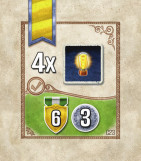
(C23) Have 4 energized Urban Buildings.
Gain 6 VP and 3 Thaler.
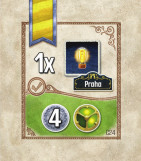
(C24) Have an energized Urban Building in Praha.
Gain 4 Thaler and a Level 2 Technology.
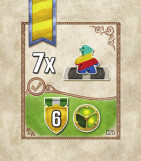
(C25) Have 7 Railway tiles.
Gain 6 VP and a Level 2 Technology.
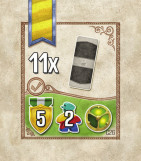
(C26) Have 11 Action tiles (available or on top of your
player board), excluding Railway tiles.
Gain 5 VP, 2 Workers, and a Level 2 Technology.
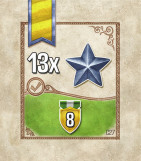
(C27) Have 13 Achievement tokens.
Gain 8 VP.
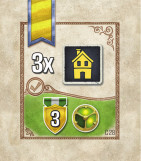
(C28) Have 3 Residential Urban Buildings on the
map (energized or not).
Gain 3 VP and a Level 2 Technology.
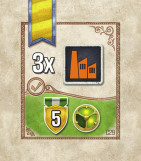
(C29) Have 3 Factory Urban Buildings on the
map (energized or not).
Gain 5 VP and a Level 2 Technology.
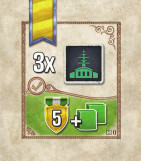
(C30) Have 3 Laboratory Urban Buildings on the
map (energized or not).
Gain 5 VP and add 2 Uranium cubes to your
Mines on board (or gain 1 Worker instead of each).
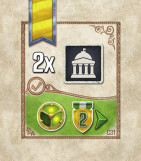
(C31) Have 2 Government Urban Buildings on
the map (energized or not).
Gain a Level 2 Technology and 2 VP income steps.
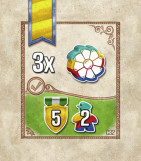
(C32) Have 3 Turbines on the map.
Gain 5 VP and 2 Workers.
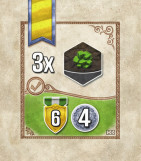
(C33) Have 3 Mines on the map.
Gain 6 VP and 4 Thaler.
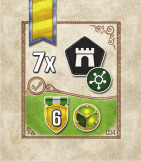
(C34) Have a network of 7 cities.
Gain 6 VP and a Level 2 Technology.
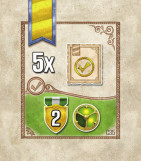
(C35) Have 5 fulfilled Contracts.
Gain 2 VP and a Level 2 Technology.
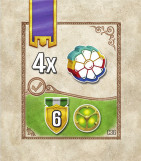
(C36) Have 4 Turbines on the map.
Gain 6 VP and a Level 3 Technology.
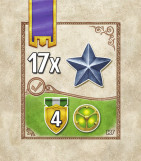
(C37) Have 17 Achievement tokens.
Gain 4 VP and a Level 3 Technology.
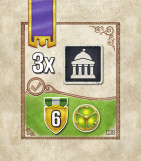
(C38) Have 3 Government Urban Buildings on
the map (energized or not).
Gain 6 VP and a Level 3 Technology.
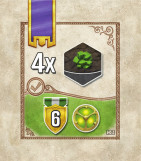
(C39) Have 4 Mines on the map.
Gain 6 VP and a Level 3 Technology.
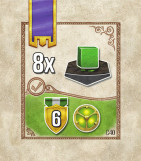
(C40) Have 8 Uranium cubes on the map.
Gain 6 VP and a Level 3 Technology.
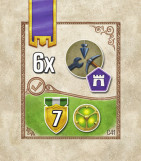
(C41) Have a total of 6 Urban Buildings, Mines,
and/or Turbines in purple cities.
Gain 7 VP and a Level 3 Technology.
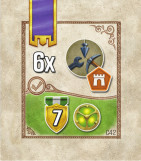
(C42) Have a total of 6 Urban Buildings, Mines,
and/or Turbines in orange cities.
Gain 7 VP and a Level 3 Technology.
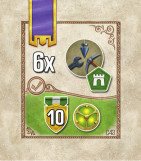
(C43) Have a total of 6 Urban Buildings, Mines,
and/or Turbines in green cities.
Gain 10 VP and a Level 3 Technology.
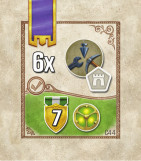
(C44) Have a total of 6 Urban Buildings, Mines,
and/or Turbines in white cities.
Gain 7 VP and a Level 3 Technology.
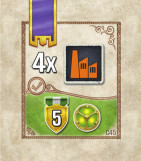
(C45) Have 4 Factory Urban Buildings on the
map (energized or not).
Gain 5 VP and a Level 3 Technology.
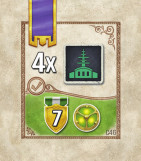
(C46) Have 4 Laboratory Urban Buildings on the
map (energized or not).
Gain 7 VP and a Level 3 Technology.
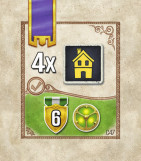
(C47) Have 4 Residential Urban Buildings on the
map (energized or not).
Gain 6 VP and a Level 3 Technology.
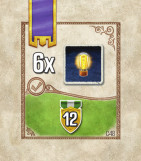
(C48) Have 6 energized Urban Buildings.
Gain 12 VP.
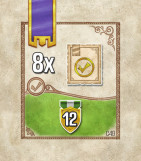
(C49) Have 8 fulfilled Contracts.
Gain 12 VP.
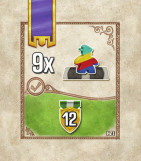
(C50) Have 9 Railway tiles.
Gain 12 VP.

Score for every 2nd Urban Building tile (energized
or not) you have on the map.

Score for every Residential Urban Building
(energized or not) you have on the map.

Score for every Factory Urban Building
(energized or not) you have on the map.

Score for every Laboratory Urban Building
(energized or not) you have on the map.

Score for every Mine you have on the map.

Score for every Turbine you have on the map.
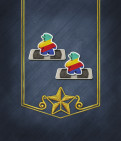
Score for every 2nd Railway tile you placed.
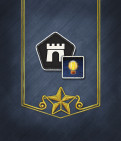
Score for every city (including Praha) in which
you have an energized Urban Building.
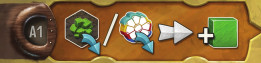
Level: 1 / Appears on: Experiment A
(A1) After placing a Mine or a Turbine, gain 1 Uranium.
Level: 1 / Appears on: Experiments A & C
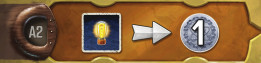
(A2, C1) Whenever you energize an Urban Building, gain 1 Thaler.
Level: 1 / Appears on: Experiment D
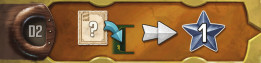
(D2) Whenever you gain a Contract, gain 1 Achievement token.
Level: 1 / Appears on: Experiments A & C
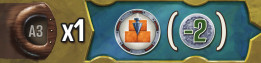
(A3, C3) Immediately perform an Urbanize action, with an additional discount of 2 Thaler.
Level: 1 / Appears on: Experiments B & D
(B3, D3) Immediately perform an Industrialize action, ignoring any network requirement. (i.e. build a Turbine or a Mineanywhere, paying costs..
Level: 1 / Appears on: Experiments B & C
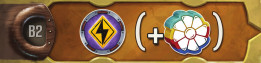
(B2, C2) For Energize actions only, you have an extra "virtual" Turbine in each power plant. Therefore, in power plants with a Nucleum present, you can use one additional Uranium.
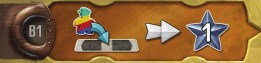
Level: 1 / Appears on: Experiments B & D
(B1, D1) Whenever you place a Railway tile, gain 1 Achievement token.
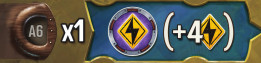
Level: 2 / Appears on: Experiments A & C
(A6, C6) Immediately perform an Energize action, producing an additional 4 electricity.
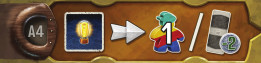
Level: 2 / Appears on: Experiments A & C
(A4, C4) Whenever you Energize an Urban Building, either gain 1 or an tile the with additional discount of 2 Thaler.
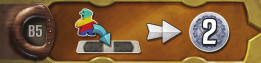
Level: 2 / Appears on: Experiments B & D
(B5, D4) Whenever you place a Railway tile, gain 2 Thaler.
Level: 2 / Appears on: Experiment B
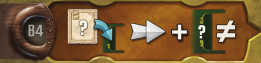
(B4) Whenever you gain a Contract, also receive the reward of one other Contract space (regardless if that additional Contract space is empty or occupied). If the Action tile used shows , it does not double this second reward.
Level: 2 / Appears on: Experiment A
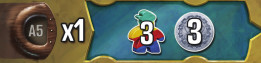
(A5) Immediately gain 3 Workers and 3 Thaler.
Level: 2 / Appears on: Experiments C & D
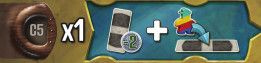
(C5, D5) Immediately take a tile from the offer with an additional discount of 2 Thaler, then you may perform a "Place a Railway" turn using that tile.
Level: 2 / Appears on: Experiments B & D
(B6, D6) Immediately gain 8 Achievement tokens.
Level: 3 / Appears on: Experiment A
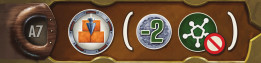
(A7) Urbanize actions have an additional discount of 2 Thaler, and ignore any network requirement (i.e. you can build anywhere).
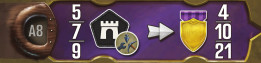
Level: 3 / Appears on: Experiment A
(A8) Have at least 1 Urban Building, Mine or Turbine in 5/7/9 different cities each to score 4/10/21 VP.
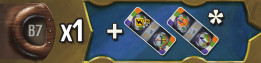
Level: 3 / Appears on: Experiment B
(B7) Gain the 2 Special Action tiles.
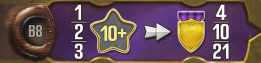
Level: 3 / Appears on: Experiment B
(B8) Have 1/2/3 markers on the "10 Achievement" space or higher on the Milestone track (i.e. in the red, purple, or blue tiers) to gain 4/10/21 VP.

Level: 3 / Appears on: Experiment C
(C7) During Energize actions, you can transport coal, Uranium, and electricity ignoring network restrictions. Thus you can use any one power plant AND you can energize Buildings that are not connected to that power plant. That also means that you can use coal and your Uranium that are not connected to that power plant.
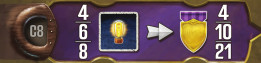
Level: 3 / Appears on: Experiment C
(C8) Have 4/6/8 energized Urban Buildings to score 4/10/21 VP.
Level: 3 / Appears on: Experiment D
(D7) Your Railway tiles are considered to be a wildcard on both sides (for all purposes, including when other players try to match with your tiles). On turns when you place a Railway tile you are allowed fulfill Contract if were a on player board).
Level: 3 / Appears on: Experiment D
(D8) Have 6/8/10 Railway tiles to score 4/10/21 VP.
Whenever you take an Energize action,
pay one fewer Thaler in total when
importing one or more Coal.

When you take an Energize action,
produce 2 additional electricity.

Whenever you take an Energize action,
produce 1 additional electricity.
Experiment A's 2nd Turbine:
Whenever you take an Energize action,
pay two fewer Thaler in total when
importing one or more Coal.
(This discount is additional to the
discount from your topmost Turbine.)

Experiment B's 2nd Turbine:
After you take an Energize action, gain
2 additional Achievement tokens.
Experiment C's 2nd Turbine:
Each Uranium produces 3 electricity
instead of 2.

Experiment D's 2nd Turbine:
After you take an Energize action, gain
1 Worker.

X Thaler Cost

X Worker Cost

X Thaler Discount

X Worker Discount

Receive X Thaler

Receive X Workers

Add Uranium to one of your Mines

Advance Thaler income marker by X steps

Advance Worker income marker by X steps

Advance VP income marker by X steps

Advance any income marker by X steps
(you can split steps between different tracks)

Get X Victory Points

Get X Victory Points at the end of the game

Get X Achievement tokens

Level 1 Technology

Level 2 Technology

Level 3 Technology

Action tile

Railway tile

Network

Turbine

Mine

Residence

Factory

Laboratory

Government Urban Building

Any Urban Building

Energized Building

Built Mines, Turbines and Urban Buildings

City

Electricity Requirement

Additional Electricity during Energize action

Contract

Fulfill a Contract
In these rules, "the Baron" or "it" refers to the solo opponent, while "you" refers to the lone human player. You can play
against one or two copies of the Baron, simulating a 2-player game. The steps that follow are for the
setup of a single Baron opponent.
1 SIX-SIDED SOLO DIE
(WITH VALUES: 1, 1, 2, 2, 3, 4)
15 LOGIC CARDS
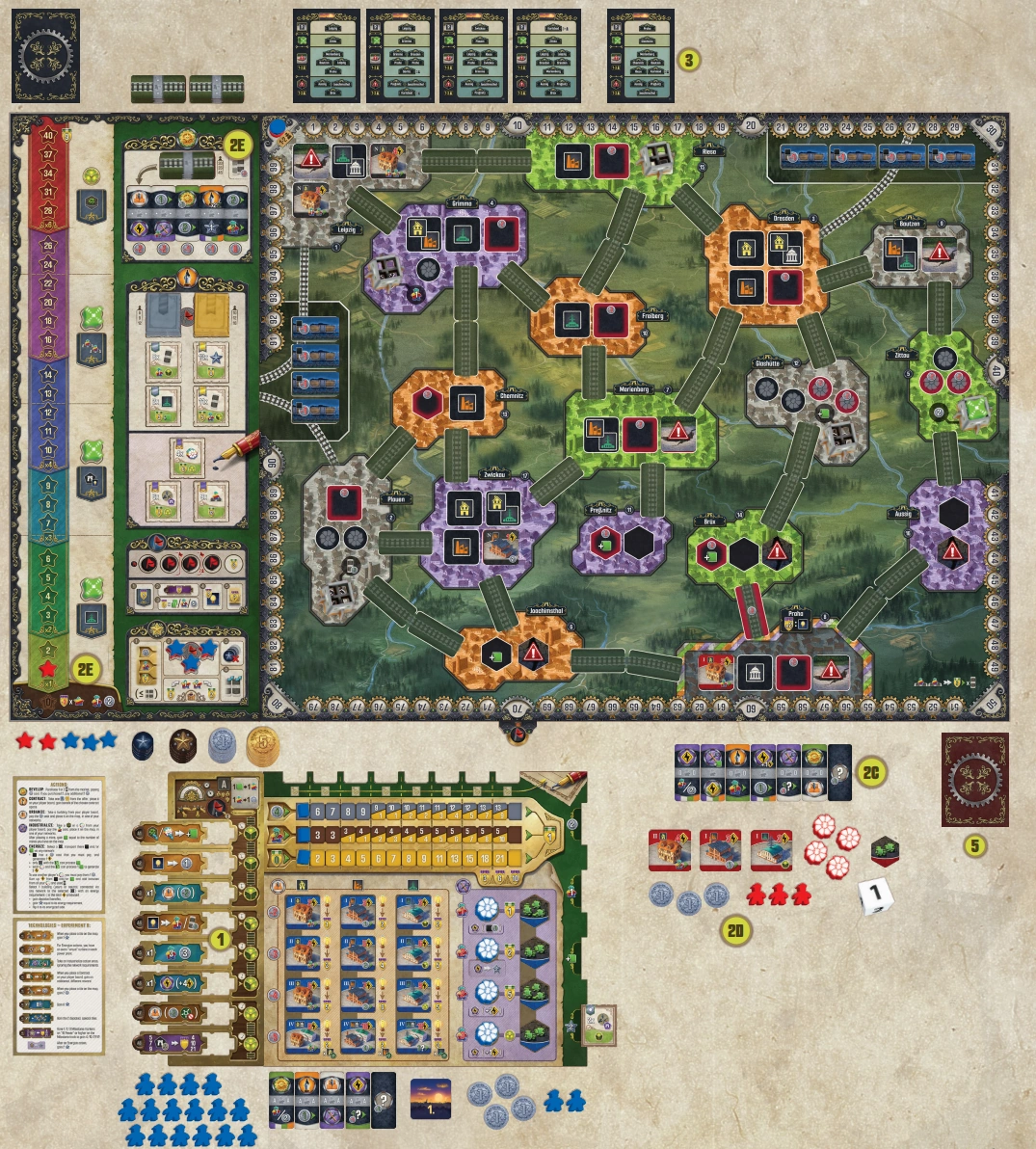
Set up the game for 2 players but with the following changes.
-
Select an Experiment for yourself and a random Experiment
for the Baron.
-
Set up for the Baron.
-
Return the Baron’s player board, Experiment board
(and the 2 Special Action tiles if this was Experiment B),
Turbine Effect tile, and 8 Technology tiles to the box - you
only need the action tiles.
-
Choose a color for the Baron, then separate Urban tiles by
type, its Turbines and Mines. Place them in its supply. Stack
the Urban tiles by type from bottom to top as follows: III,
IV, II, I. Create three such stacks, one for each Building type.
-
Put aside its special directive tile. Take two unused Action
tiles (without dots), and shuffle them together with the
Baron’s Starting Action tiles, then put them face up in a
queue of six tiles. Finally, put the Baron’s special directive
tile face down at the end (right) of this queue; the Baron’s
special directive tile will be referred to as the "stopblock."
-
Give the Baron 3 Thaler and 3 Workers.
-
Place the Baron’s Victory Point marker on the "0" space
of the point track and its three Milestone markers on the
milestone spaces on the sideboard as usual. Place another
one of its Milestone markers on the "1" Achievement space
(without removing the Nucleum). Return its remaining
markers to the box.
-
Return the Baron’s Income markers to the box.
-
Do not give the Baron an Initial Contract.
-
Reveal an additional Setup card, and place
one of the Baron’s Urban tiles in the city
indicated on the first row of the card.
-
If the revealed card shows no city on the
first row or it shows a city not present
on the map (Karlsbad or Gӧrlitz), draw
another card.
-
Place the top tile of a type that is legal in
that city ignoring the red bordered spaces
and the Government building spaces;
if multiple such options exist, choose a
building with lowest energy requirement.
If there’s a tie, choose randomly between
the main three types (Residential, Factory,
Laboratory).
-
If you are already experienced with the game
and wish to increase the difficulty, select one
or more of Frederik’s Challenges to use.
-
Shuffle the 15 Logic cards to form the Logic
deck. Place this deck face down along with the
solo die in the Baron’s player area.
-
You take the First Player marker.
You take your turns normally, as described in the core rules.
If you use any of the Baron’s Turbines to Energize, you must pay
1 Thaler per Turbine it owns (as usual), but the Baron receives
VP instead of the Thaler—your Thaler goes to the supply.
If you match one of the Baron’s tiles when building railways, the
Baron resolves its action as described under "Regular Turn", if
able. When a railway link is completed, the Baron
gains 1 VP instead of each point of VP income it would gain,
while you gain your rewards normally.
If you trigger an endgame condition, place the Endgame Condition
marker on the space for the condition just met and receive the 3
VP as usual. The Baron never triggers the 70 VP condition nor the
8 Technologies condition, but it can trigger the other two (empty
Action Tiles stack and empty Contracts stacks)
When resolving the Baron’s turn, you may be instructed to draw
a card from the Logic deck. This card is used for the Baron’s
entire current turn; if another action requires another card to
be drawn, use the same card that was drawn before. At the end
of the Baron’s turn, discard the used Logic card.
Every Logic card shows a primary tiebreaker, indicating
highest or lowest. This points to the reference number
of a city and will be used in multiple procedures. (I.e., if
you need to select a city and the current Logic card shows
highest, select the city with the highest reference number
among the possible options.)
When selecting a link, choose one that is touching the
city indicated by the Logic card’s tiebreaker (i.e. with the
highest/lowest reference number among the possible
options). If you have to select among multiple links
touching the same city, start from the top of the city and
proceed clockwise to find the first eligible link.
If at any point you need to draw a card from the Logic deck and
the deck is empty, reshuffle all the Logic cards in the discard
pile and create a new draw deck to draw from.
On the Baron’s turn, it prioritizes taking a Recharge Turn,
Railway Turn, then Regular Turn. Resolve the Baron’s turn
using the following steps:
-
The Baron takes a Recharge Turn if either
of the following conditions are met (skipping all remaining
steps listed here):
-
The stopblock is at the front (left) of the queue, or
-
The Baron has no Workers and no Thaler in its supply.
-
If neither of the above conditions is met, roll the solo die to
select an Action tile in its queue, counting from the left. If
the selected tile is the stopblock or after the stopblock, the
Baron selects the tile immediately to the left of the stopblock
instead.
-
Determine which type of turn the Baron will take with the
selected tile:
-
It takes a Railway Turn if the selected tile
meets at least one Railway requirement (see
"The Baron’s
Railway Requirements"
).
-
Otherwise, it takes a Regular Turn.
-
Resolve the turn using the selected Action tile.
-
If it was a Regular Turn, move the selected tile to the
(rightmost) end of the queue. Shift the tiles to the left to close
up any gaps in the queue.
-
If the Baron forfeited both actions during a Regular Turn,
return to step 1 to try again; otherwise, the Baron’s turn is over.
The Baron wants to place its selected tile on the map if a) it
has at least 1 Worker, b) the Main action(s) (non-Subsidize)
depicted on the tile are present on at least one more tiles in
the Baron’s queue - the Baron never gets rid of the last tile
depicting a Main action(s) (non-Subsidize), and c) any of
the following apply:
-
The selected tile can complete a rail line of two railway
spaces or more and at least one of the tile’s two sides
will create a color match.
-
The selected tile can complete a rail line of a single
railway space and both of the tile’s sides will create a
color match (even if this starts a new network).
-
The selected tile can extend one of the Baron’s existing
networks that contains at least one of its own Buildings,
Mines, or Turbines by starting an incomplete link (or
completing a rail line of a single railway space) and at
least one of the tile’s sides will create a color match.
To summarize, as a principle, the Baron aggressively finishes
rail lines (even the ones you started); otherwise, it extends
its own network.
The Baron places the selected tile on the map onto the space
where it met one of the Railway requirements, along with one of
its available Workers. If multiple spaces meet the requirements,
the Baron prefers meeting the I. requirement over meeting the
II., and so on. Among spaces meeting the same requirement, the
Baron prefers one that can create two color matches over creating
one match. If still tied, reveal a Logic card and use the primary
tiebreaker as described on page [4] to select a link.
Place the tile in the following way on the chosen space:
-
If both sides can create a color match, place it so that they do.
-
If either side can create a color match, the Baron prefers
matching an action in the following priority order: Urbanize
> Industrialize > Develop > Contract > Energize > Subsidize
(ignoring actions unavailable due to lack of Thaler).
-
If only one side can create a color match, place it so that it does.
-
If the Baron can choose between what to match with, it
prefers to match its own tile > a city
> your tile.
Then, resolve every matching action in this priority order:
Urbanize > Industrialize > Develop > Contract > Energize >
Subsidize. If a matched action cannot be resolved or is unavailable,
the Baron forfeits it. Then, if your action was matched, you may
perform yours normally. When a railway is completed, the Baron
gains 1 VP instead of each point of VP income it would gain, while
you gain your rewards normally.
EXAMPLE:
The tile that Baron (Red) wants to use is Industrialize/
Energize. Baron still has Workers and Thaler in its personal
supply. Also, there are other tiles with these actions in the queue,
so Baron can use the selected tile as a railway.
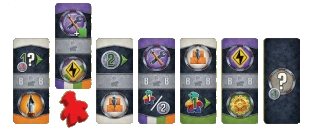
The selected tile can complete a rail line of two railway spaces
(started by Blue player) between Praha and Aussig, and at
least one of the tile’s two sides will create a color match (in
fact both match).
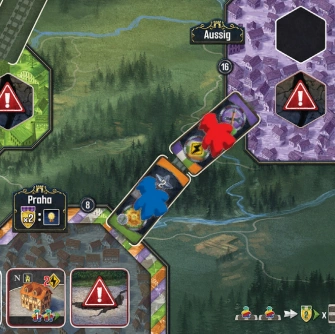
Then, Baron resolves Industrialize action and Energize
action (in that order). The Blue player gets 2 Achievement
tokens. Finally the action tiles are flipped, Blue player
increases VP income by 2 steps, and Baron gains 2 VP.
On a Regular Turn, resolve both actions shown on the selected tile
in the following priority order: Urbanize > Industrialize > Develop
> Contract > Energize > Subsidize. The Baron always ignores all
modifiers (discount, bonus, etc.) on Action tiles; it only pays for
actions when explicitly mentioned in the actions’ descriptions.
If the Baron has no Thaler remaining, consider the Urbanize,
Industrialize, and Energize actions unavailable: if such an action
appears on the selected tile, the Baron forfeits the action.
NOTE:
Unavailable if the Baron has no Thaler
Draw a Logic card. Use the Urbanization preferences depicted
on it to select one of the three Building type stacks. The Baron
builds the top tile of the indicated most preferred Building’s
stack. If either the stack is empty or there are no legal spaces on
which to place the tile of that type within the Baron’s network(s),
continue to the next preference.
Then, the Baron selects a city within one of its networks where
that Building type can be legally built using the following
priority order:
-
Connected via completed rail lines to a power plant,
preferably one with a Nucleum.
-
Praha.
-
A city in which the Baron does not yet have an Urban
Building tile.
-
If multiple options still remain, use the Logic card’s primary
tiebreaker to select a city.
Within that city, the Baron places its Building on a legal urban
site, preferring single-icon space > double-icon space > red space.
The Baron does not pay for placing on red spaces.
The Baron must pay 1 Thaler after it has placed an Urban
Building.
EXAMPLE: The middle section of the Logic card shows priority
list for Urbanize action. Baron wants to build a Factory.
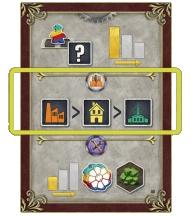
It has presence in Dresden, Praha and Aussig, but only
Dresden has a space for a factory.
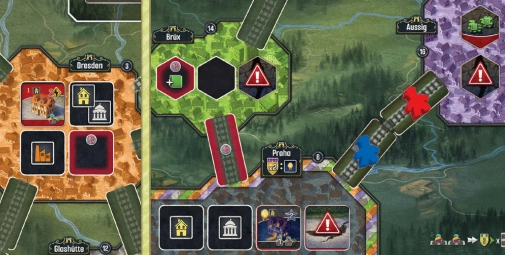
Baron places a level 1 factory from the top of the stack in
Dresden and pays 1 Thaler.
NOTE:
Unavailable if the Baron has no Thaler
Draw a Logic card. Use the Industrialization preferences depicted
on it to determine whether the Baron wants to build a Mine or a
Turbine. Alternatively, the depicted icon may show "fewest built"
(if tied, the Baron builds a Turbine first). If the Baron cannot
build the selected type (because either all four have been built or
no valid space is available in its network(s)), it attempts to build
the other type. If neither can be built, the Baron forfeits its action.
If the Baron can choose between multiple cities, it prefers the
one that’s also in your network. For Turbines, it prefers to build
at power plants with Nucleums. For Mines, the Baron prefers
to build on spaces with a higher Uranium bonus. Among
equally preferred cities, use the Logic card’s primary tiebreaker
shown on the Logic card to select a city. Among equally preferred
spaces in the same city, the Baron prefers to build on non-red
spaces (for both Turbines and Mines). Since the Baron does not
place Uranium cubes on the Mine tiles, it does not matter in
what order its Mine tiles are placed. The Baron does not pay for
building on red spaces.
The Baron must pay 1 Thaler after placing a Mine or Turbine.
EXAMPLE: The Logic card shows that Baron should build
whichever he has less on the board - Turbines or Mines.
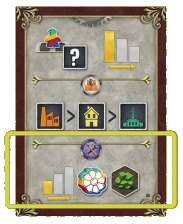
However, it did not place any Turbines or Mines yet. Baron
does not have a presence in a city with a power plant, but it
has a presence in Aussig, so it places a Mine from the top of
the stack there. It pays one Thaler for that.
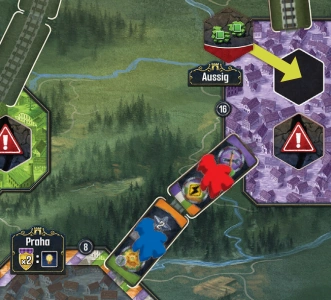
From the following list, choose (in order) two of the steps that would
result in the Baron acquiring at least one Action tile (removing tiles
from the offer immediately when the conditions are met):
-
The Baron takes the rightmost (cheapest) tile from the
market that shows a Main action (non-Subsidize) the Baron
has only one of in its queue (regardless if it’s before or after
the stopblock).
-
The Baron takes the rightmost (cheapest) tile from the market
that shows a Main action (non-Subsidize) that appears in the
offer only once.
-
The Baron takes the rightmost (cheapest) tile from the market.
If neither of the first two steps apply, the Baron gains a single tile;
otherwise, it will gain two Action tiles.
Place the newly acquired tile(s) (in the order they were taken)
to the front (left) of the Baron’s queue, then refill the market.
If this reveals the last Action tile, place the Endgame Condition
marker on the space for the condition just met, and the Baron
scores 3 VP.
EXAMPLE: These are Baron’s tiles. It selected the tile with
Develop action.
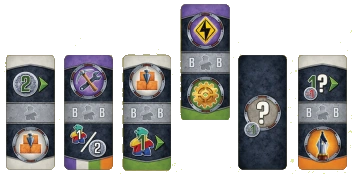
It chooses the cheapest tile with a Main action it has only
one of (Contract action, shown in green), and the cheapest
tile with a Main action that appears in the offer only once
(Energize action, shown in red).
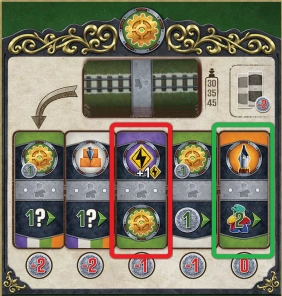
Then, Baron adds the new tiles to the queue, performs the
second action from the activated tile (if possible) and finally
moves it to the back (arrow).
If the Baron has three face-down Contracts in its play area,
it does not take another Contract but receives 1 Thaler instead.
Otherwise, the Baron takes the highest-scoring Silver Contract. If
the Baron has already recharged once, it takes the highest-scoring
Gold Contract instead. In a tie, it selects the Contract with higher
leveled Technology; if still tied, the Baron takes the topmost tile.
Then, refill the Contract offer. If this reveals the last Contract
tile, place the Endgame Condition marker on the space for the
condition just met, and the Baron scores 3 VP.
The Baron receives the VP printed on the Contract and converts
any gain Technology to VP equal to their level (receiving those
VP as well), ignoring any other printed benefits. Place the
resolved Contract tile face down in the Baron’s player area.
EXAMPLE:
Baron is still before its first recharge and takes
a Contract action, so it can only take a Silver contract.
It chooses the 6 Achievement contract (since the other one is
worth only 1 VP to the Baron) and gains 4 VP.
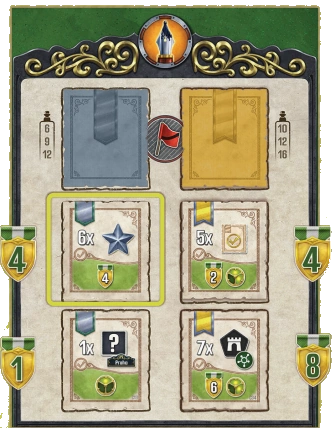
NOTE:
Unavailable if the Baron has no Thaler
The Baron can only energize an Urban Building (either its own
or a Neutral one) if the Building in question meets both of the
following conditions:
-
It is connected to a power plant (via completed rail lines
belonging to you or the Baron, as usual).
-
That power plant is connected to a coal production area
and/or at least one of the Baron’s Mines.
If no such Building exists, the Baron forfeits this action.
Otherwise, it spends 1 Thaler and selects a Building to energize,
in this priority order:
-
Its own Government building,
-
Its own Building with a lower requirement, or
-
a Neutral Building.
If there are multiple equally preferred Buildings the Baron could
energize, reveal a Logic card and use the primary tiebreaker to
choose among them.
If possible, Baron chooses a power plant in his own network.
If the power plant is connected to one or both coal production
areas, the Baron imports 1/2/3/4 coal (without paying Thaler)
depending on the level of the Building (I/II/III/IV), always
importing the cheapest one and always from the area that has
the most coal with the cheapest cost first (choosing randomly if
tied). For a Neutral Building, the Baron imports 1 coal.
The Baron scores 1 VP per Turbine it owns in the same
network as the activated power plant. If the power plant has a
Nucleum, the Baron also scores 1 VP per Mine it owns in the
same network as the activated power plant. It never activates
your Turbines, thus never paying you Thaler.
Finally, flip the selected Building to its energized side, ignoring
all benefits.
EXAMPLE:
Baron performs Energize action from the tile [A]. It
wants to energize the Neutral Urban Building in Praha [B]
that is connected to the power plant with Nucleum [D]. There is
no connection to Coal, but there is Baron’s Mine in Aussig [C],
so Baron can perform the action. It will pay one Thaler, flip the
building and gain 1 VP for its own Mine in the same network.
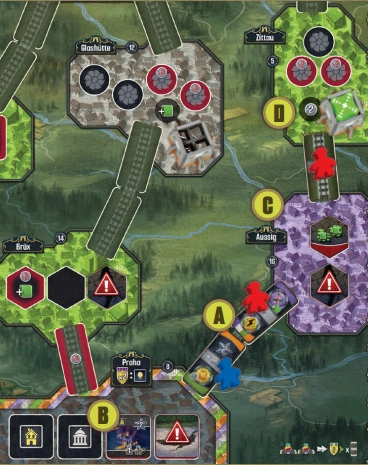
When it recharges, the Baron gains 4 Thaler and 3 Workers (if
it cannot gain more Workers due to its supply being empty, the
excess is simply ignored). Then, the Baron places its milestone
marker on the milestone track six spaces above its previous
milestone marker (including the one placed during setup). The
Baron does not trigger the construction of Nucleums (nor the
level 3 Technology reward). It places its milestone markers only
for the purposes of King’s Day Scoring.
Discard all of the Baron’s face-down Contracts.
Finally, move the stopblock to the end of the queue, sliding the
other tiles to the front to close any gaps.
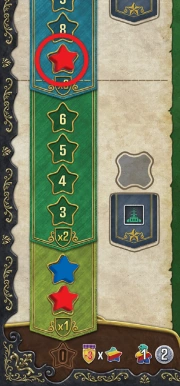
EXAMPLE:
It is Baron’s first
recharge. It gains 4 Thaler and
3 Workers. It puts the milestone
marker on "7" on the milestone
track. It triggers King’s Day
Scoring, because the Blue player
already recharged earlier. Baron
gains 6 VP and Blue player gains
2 VP.
Then, Baron discards the face down Contracts from its
player area and moves the stopblock to the end (right) of the
queue.
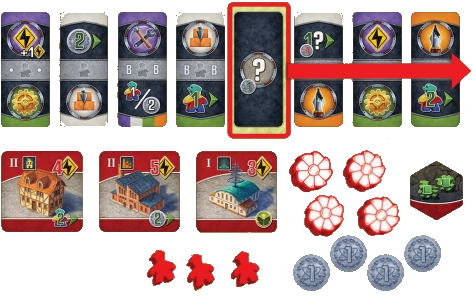
King’s Day Scoring is unchanged from the core rules, triggered
when both you and the Baron have recharged the first, second,
and third time.
The end of the game is triggered in two ways:
-
Two (not three) of the four Endgame Condition markers
have been placed.
-
The Baron has Recharged three times (or if playing against
two Barons, once they both have Recharged three times).
Either way, finish the current round and then you and the Baron
play one additional turn as in the multiplayer game. However,
the Baron takes two Energize actions without paying Thaler on
its last turn instead of its usual selection procedure.
Your score is calculated normally, as described in the core rules.
The Baron scores its energized Urban Buildings normally and
scores all four milestone conditions, regardless of where its
milestone markers are:
-
It scores 2 VP for each time it meets the lowest milestone
condition.
-
It scores 4 VP for each time it meets the second milestone
condition.
-
It scores 6 VP for each time it meets the third milestone
condition.
-
It scores 8 VP for each time it meets the top milestone
condition.
The Baron scores 1 VP for each of its remaining Thaler and
Workers.
If after calculating the Baron’s score you have more VP than the
Baron, you win. Otherwise, you lose.

EXAMPLE:
Baron has 85 VP gained
during the game. For energized
Urban Buildings it gained 32
VP. For resources it gained 11
VP. Finally it scores the milestone
track:
Baron gains 2 VP for built
Laboratory, because it has only
1. For the pairs of built Urban
buildings it gets 12 VP (3 x 4 VP
for 6 built Urban Buildings).
It has 3 built Factories, so it gets
18 VP (3x6 VP). Finally, it
gets 16 VP for built Residences,
because Baron has 2 (2x8
VP). Overall Baron scores
85+32+11+2+12+18+16=176
VP.
-
Why can't I build while having the costs?
As soon as you create your first network (with placing a railway or having a first building), you can only build inside your networks.
-
Why can't I fulfill a contract?
You can only fulfill contracts during regular turns, i.e. when you play a tile into a slot. If you have technology D7 you are allowed to fulfill contracts during railway turns as well.
-
Why can't I transport Uranium to a connected power plant?
Only power plants with a Nucleum can process Uranium. Additionally, the amount of Uranium which can be processed is limited by the number of turbines (+1 for the Nucleum itself, +1 for technology B2/C2). If you use other player's turbines, you need to be able to pay for them as well.
-
Why can't I transport between Plauen and Leipzig?
The long distance railway only connects to the coal importing side but not the two cities connecting to the same import side. On the 3/4 player map the same holds for Riesa and Görlitz not being connected via the coal import side.
-
Why can't I do a recharge?
You need at least one action tile in the slots to recharge.
-
Can I continue with actions after other players resolved theit matched actions?
No, all your actions have to be done before swtiching to another player. But it is possible that you will get new actions to resolve if the other player creates a new matched action for you.
After the last turn all players will have to do conversions Uranium to worker to Thaler themselves to optimise their scroings. Additionally, the free milestone placement is to do at this moment as well. In the predicted scoring (clicking on the score in a player area) includes the score with the assumption of placing the milestone marker at game end on the highest available possition to use all the remaining achievement tokens.
There are several game settings which should be adjusted to the player's needs:
-
The game has a large main board, thus please increase the minimum width in case it is to small on your device to get scrollbars instead.
-
Automatically, the player board of the active player is shown while others get collapsed.
Switching it off, allows you to focus on your player board while others make moves.
-
You can adjust the width of the main board to create scroll bars on small screens.
-
The game determines whether boards are place next to eachother or below eachother based on your browser window size.
In case, you like to fix one of the layouts, simply select the preferred one.
-
If you need a reminding confirmation before revealing new tiles, you can enable this.
-
If you like to speed up your actions, you can allow your browser to send single actions beside anytime actions automatically for you. (Warning: you need to undo automatically send actions in the game log because the action will be send again if undoing just this one.)
-
If you don't like to get the links telling you where to find an action, you can switch this off to shorten the text in the status bar.
-
If you like to a zoom on the elements you are pointing to, you set a zoom factor between 100 and 500 per cent.
This setting is additionally available in the title bar for devices supporing this feature.
-
There are popovers to show a text information about an image, which is especially helpful for colorblind people.
You can choose how to trigger them: If you turn it off it will use the title attribute.
For devices with a mouse, it is recommended to use it on "hover". The popover stays open as long as the mouse is on the image.
For devices with a touch screen, it is recommended to use it on "touching". The popover stays open as long as you touch on the image. The opening of the context menu should be supressed, but some devices open it nevertheless or start a text selection on the element.
Alternatively, it can be switched on and off via "click". Please note, that on active elements you perform an action with a click.
The implementation tries to give as much flexibility to the players to do selections in their preferred order, e.g. which contract to take and where to place it.
As a consequence, it might happen that you run out of posibilties by limiting yourself in wrong order. Simply undo your current action and/or use the button to skip all remaining actions if you don't find a way to do your actions. Using this button will show you a list of stuff you potentially skip, so it might show impossible stuff, too.
There are two permanent buttons to help you
-
Player aid: it shows you a short version of the rules summarizing actions, turn structure, and some key information, e.g. about game end.
-
Network list: it shows you the current networks of all players and where to find the neutral non-energized buildings.
City names shown on your player board, the network list, or the game log are links to bring you to that city on the main board. So you can use them to find your network (e.g. to build a new structure or select a power plant), additionally you find your structures fast (e.g. to energize a building or select Uranium of one of your mines).
To allow a fast differentiation between a 2-player game and a solo game against the Baron, the Baron has the color of the fourth instead of second player in your color settings.