Entropy
Goal of the Game
In Entropy, players build Solar Systems with Stars, Planets, and Asteroids, then fill them with Life, by playing cards. Players may gain various special abilities by adding Biomes and upgrading their Console. The player with the most Victory Points (VP) at the end of the game is the winner.
Components
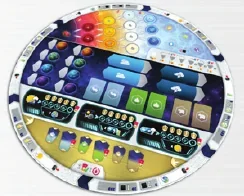 1 Main board
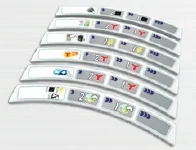 6 Action tiles
 20 Solar System tiles
 8 Player aids
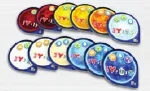 55 Star tiles
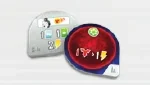 6 Starting Star tiles
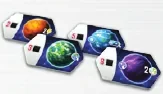 44 Planet tiles
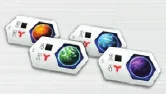 8 Starting Planet tiles
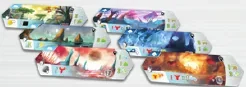 36 Biome tiles (18 Abundant and 18 Scarce)
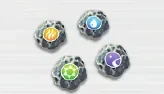 40 Asteroid tiles (10 of each type)
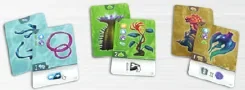 66 Life cards (22 Bacteria cards, 22 Plant cards and 22 Animal cards)
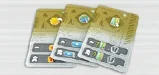 12 Focus cards (3 cards for each set A, B, C and D)
 12 Mission cards
 3 Alternative Objective tiles
 140 wooden Lifeforms (60 Bacteria, 50 Plants, 30 Animals)
 60 wooden Resources (20 Energy, 20 Entropy, 20 Mass)
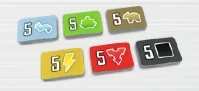 48 Lifeform and Resource “x5” tokens
 1 First Player marker
 70 Victory Point tokens (40× “1”, 20× “5”, 10× “10”)
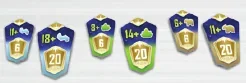 15 Lifeform Objective tiles
 1 Scorepad
Player Components
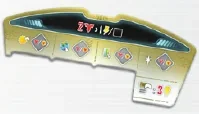 1 Player board (Console)
 1 Scientist token
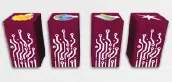 4 Creation tokens
 1 Generator marker
 3 Objective markers
Solo Components
 1 Solo tile
 12 Challenge cards
 19 Progress cards
Mass, Energy, Entropy, Bacteria, Plant, Animal, and Victory Point tokens are considered unlimited. Should they run out, use any necessary substitute. All other components are strictly limited; if they run out, you may not use replacements.
Game Setup
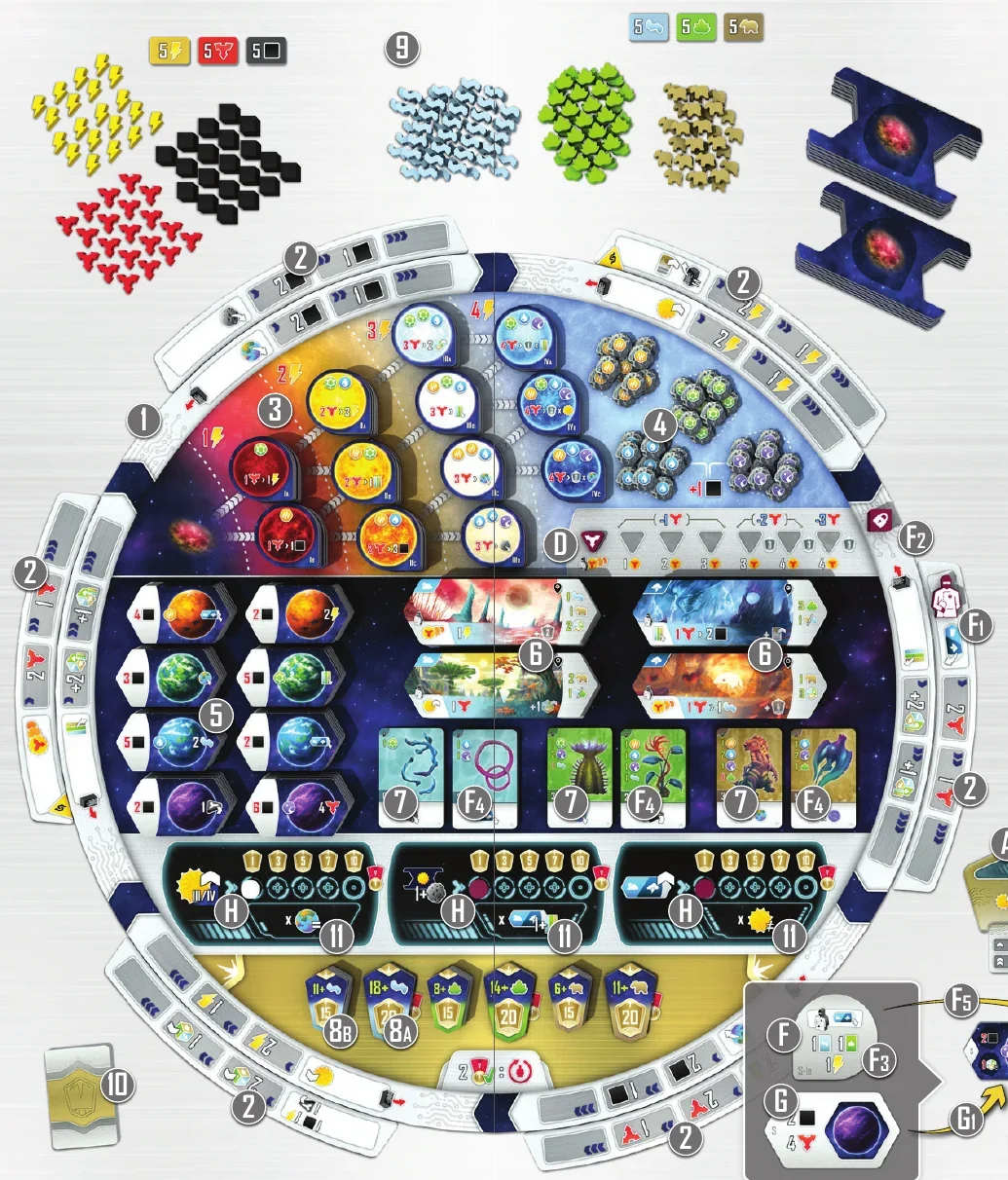
1. Place the Main board in the center of the play area.
2. Shuffle all Action tiles and randomly place 1 face up next to each inner ring Action area of the Main board.
• 2 players: Place all 6 Action tiles with their  side face up.
• 3 Players: Place the 1st, 3rd, and 5th Action tiles with their side face up, and the 2nd, 4th, and 6th Action tiles with their opposite side face up (without the  ).
).
• 4 players: Place all Action tiles with their opposite side face up (without the  ).
).
3. Sort all Star tiles by type (marked with IA, IB, IIA, etc.) and place each stack face up on the corresponding space of the Main board.
4. Sort all Asteroid tiles by type and place them on the corresponding spaces of the Main board.
5. Sort the Planet tiles by type (  /
/  /
/  /
/  ) and shuffle each stack separately, cut it in half and place it cost-side up on the corresponding spaces of the Main board.
6. Sort the Biome tiles by type (  /
/  ). Shuffle each stack separately, split it in half and place it face up on the corresponding spaces of the Main board.
7. Sort the Life cards by type (  /
/  /
/  ) and shuffle each deck separately. Place each deck face up in the leftmost corresponding space of the Main board.
8. Sort the Lifeform Objective tiles by size and type (  /
/  /
/  ). Place each big tile on the corresponding space of the Main board (8A). For each type, create a stack of small tiles by stacking them with the values going up and the highest VP tile on top, and place them on the corresponding space of the Main board (8B).
• If playing with 3 players, remove all small tiles marked with a “4” on the back.
• If playing with 2 players, remove small tiles marked with “3+” or “4” on the back.
9. Place all Resource tokens, Lifeform tokens, and Solar System tiles near the Main board within easy reach of all players as a general supply.
10. Shuffle and place all Mission cards in a face-down deck near the Main board.
11. (Optional) If you are familiar with the game, you may use the Alternative Objectives variant. To do so, place each alternative Objective tile to cover the printed Objective on the Main board with the same number of blue lines on the side.

Player Setup
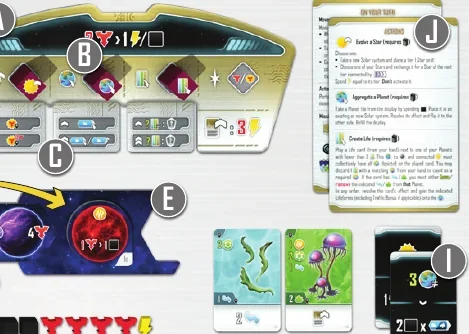
A. Place your Player board (Console) and all components in a color of your choice in front of you. The player who most recently watched a sci-fi movie receives the First Player marker and places it above their Console.
B. Place your  ,
,  , and
, and  Creation tokens on the corresponding spaces of your Console.
C. Choose or randomly select a set of Focus cards (A, B, C, and D). Place your set of the Focus cards on the corresponding sections of your Console so the 0 tier is visible.
D. Place your Generator marker on the leftmost space of the Generator track.
E. Place a Solar System tile next to your Console.
F. Draw a random Starting Star tile. Place your Scientist token on the indicated Action space (F1). Next, place your Wild Creation token, locked side up  , on the closest inner circle section for Creation tokens (F2). Then, gain the indicated Life cards and Resources (F3). Players draw Life cards in turn order. After players have drawn their Life cards, split each deck in half and place it face up on the corresponding space of the Main board (F4). Finally, flip the Starting Star and place it on the Star space of your Solar System tile (F5).
G. Draw a random Starting Planet tile, gain its indicated Resources, then flip it over and place it on any Planet space of your Solar System tile (G1).
H. Place your Objective markers on the leftmost space of each Objective track.
I. Draw 2 Mission cards. After all players have drawn their Mission cards, return the rest back to the box.
J. Take the Player aids, including one with your Focus cards description.
Playing the Game
Entropy is played over a variable number of rounds. Each round consists of each player taking a single turn, starting with the player with the First Player marker and continuing clockwise around the table. The end of the game is triggered when 2 Objectives are completed (see Missions). When this happens, finish the current round, then play one more round and proceed to the Final Scoring.
Turn Structure
Each turn consists of 3 steps:
MOVEMENT ››› ACTION ››› MISSION
After step 3, your turn ends, and the next player in clockwise order starts their turn.
Movement
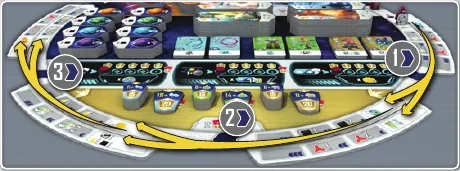
Each turn, you must move your Scientist between 1 and 3 spaces clockwise around the Main board. You must land (end your movement) on either an inner Action space of the Main board or an outer Action space of an Action tile.
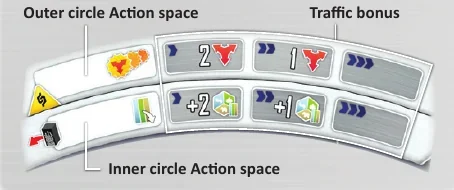
Outer Action spaces with  symbol are treated as merged with the adjacent inner circle spaces for the purpose of determining the presence of another player's Scientist.
Landing on Inner Circle Actions
To land on an Action space in the inner circle, you must place your matching Creation token (  ,
,  ,
,  ) or a Wild Creation token (
  ) there (to the left of the Action space). You may not use a Creation token that is lying down or already on the Main board. You cannot land on an Action space in the inner circle if you are unable to place the required Creation token.
Passing a Creation Token
During movement, if your Scientist passes over one or more of your Creation tokens, you must retrieve them. That includes retrieving your Creation token in front of the Action space you land on. Place them lying down on corresponding spaces of your Console. For each Creation token retrieved this way you may immediately Activate one of your Stars  (see Activate Stars) or gain 1 Entropy
  . Creation tokens retrieved with
  effect do not provide Activation of a Star, nor Entropy. At the end of your turn, the lying Creation tokens that you retrieved become available again.
If you pass your Wild Creation token with its  side up, instead of retrieving it, flip it to its
  side. From now on, it acts as any other Creation token, except triggering Focus cards (see Upgrade Console).
Traffic Bonus
After landing on an Action space, first resolve the Traffic Bonus.
If you land on an Action space already occupied by at least one Scientist (either the same space or one connected by a  symbol), add 1 to the distance moved for the purpose of resolving the Traffic Bonus. If you moved by 3 spaces and landed on a space with another player’s Scientist, you must additionally spend 1 Entropy
  .
.
The Traffic Bonuses provide resources or other positive effects described in the sections with the depicted actions.
Golden rule: All rewards in the game are optional and you may always choose to forfeit any part of any reward without compensation.
Actions
Resolve the action shown on the Action space you landed on.
Note: You may land on an action that you cannot or do not want to resolve and just gain the Traffic Bonus (except for the Create Life action). However, if it is an inner circle action, you must place a matching Creation token or Wild Creation token. Many effects in game require you to affect the indicated component - which is represented by  . If an effect does not have
  it may affect any components in your play area.

During this step you may also resolve the Entropy exchange free action any number of times: Spend 2 Entropy  to gain 1 Energy
  or 1 Mass
  .
.
Evolve a Star
Resolve one of the following:
• Choose a Star in a Solar System in your play area and exchange it for a Star of the next tier, as indicated by the paths  on the Main board. You must spend the Energy
  cost indicated on the Main board. To exchange Stars, return a chosen Star from a Solar System in your play area back to the appropriate stack on the Main board and replace it with the next Star following the path
  on the Main board.
Note: If you Evolve a Starting Star, return it to the box instead.
• Pay 1 Energy  to add a tier I Star tile to a Solar System without a Star tile, or to a new Solar System (take a new System tile from the general supply).
Important: Star effects are not triggered when a Star Evolves. To activate the effect of a Star you must either retrieve a Creation token when moving your Scientist or resolve the Activate Stars action (see Activate Stars).
Aggregate Planet
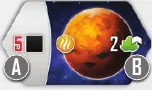
Choose a Planet tile from the offer and spend the indicated Mass  (A) to take it. Then, activate the Planet's effect (B), flip it over, and place it in:
• An empty Planet space in any Solar System in your play area, or
• A new Solar System by placing a new Solar System tile in your play area.
If one of the stacks runs out of tiles, refill the offer from the other stack of the same type, if possible.
Important: The back of a Planet tile shows the same effect as the front. Later, you may resolve this effect up to 2 additional times with Catch an Asteroid actions.
Create Life
Play a Life card from your hand to a Planet in your play area. To play a Life card, the chosen Planet (including Asteroids on it) and the Star in its Solar System must collectively meet all the Life Condition requirements (indicated by the Local symbol  ). Some cards also require specific Lifeform tokens on the chosen Planet and may require you to remove them from that Planet.
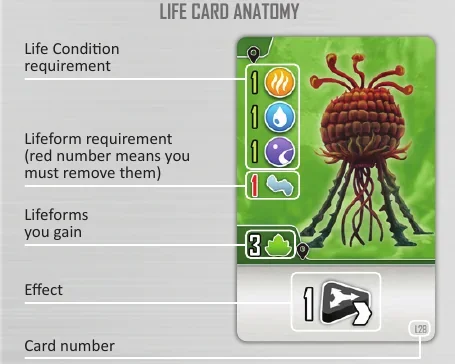
There are 4 types of Life Condition icons:

HEAT The source of energy that drives metabolism and chemical reactions.

CARBON The foundation for complex molecules, and the essential building material for life’s structures and functions.

WATER A universal solvent, allowing molecules to move, interact, and combine into increasingly complex forms.

RADIATION Shapes extreme environments, pushing matter to adapt and evolve. It can be a catalyst for change and diversity.
Each time you play a Life card, you may discard one other Life card from your hand to reduce the requirements of the played Life card. Choose one of the icons from the discarded card to count toward one of the requirements of the played card. The discarded Life card is returned to the bottom of the leftmost corresponding deck.
Then, in any order:
• Add the indicated Lifeform tokens to the chosen Planet tile (place them next to it, indicated by the Local symbol  ).
).
• Resolve the effect from the bottom of the played Life card. (Animal cards often have 2 rewards - both of them are multiplied by their condition.)
Finally, flip and place the Life card next to the chosen Planet.
Important: Each Planet is limited to 3 Life cards and you cannot play a Life card to a Planet that already has 3 cards next to it. Each Planet can have a maximum of 5 Lifeforms of each type.
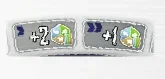
The Traffic Bonus on the Create Life action adjusts the number of Lifeforms gained from the played card.
Activate Stars
Choose any number of Stars in your play area and resolve their effect, one by one, by spending the indicated amount of Entropy  . Each Star may only be activated once. Your marker on the Generator track provides an Entropy discount to a number of activated Stars, depending on its position. The discount applies only if you resolve it from the Activate Stars Action space (see Primordial Soup).
Set Biome
Take 1 Biome tile from the offer and place it next to a Planet in your play area. It will stay there for the remainder of the game. Each Planet may only have 1 Biome tile. If one of the stacks would run out of tiles, refill the offer from the other corresponding stack.
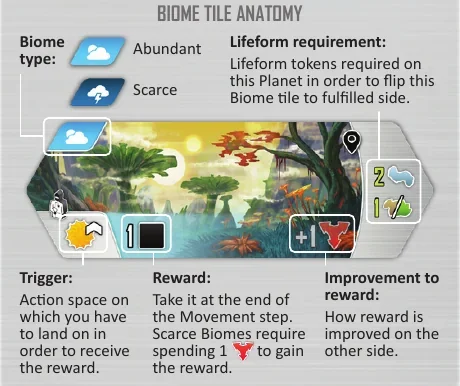
Biomes provide ongoing abilities that are triggered by specific Action spaces. You can improve this ability by fulfilling the requirements of the Biome. When you collect the Lifeforms indicated by the assigned Biome on the Planet (indicated by the Local symbol  ), you may flip the Biome to the fulfilled side as a free action.

This effect allows you to Fullfill a Biome without meeting the requirements.
Example: Orange resolves a Set Biome action. They have only one Planet without a Biome, so they place a new Biome tile there.
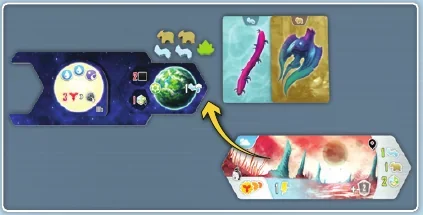
Moreover, the Lifeforms on this Planet match the Lifeform requirement, so the orange player decides to immediately flip the Biome to its fulfilled side.
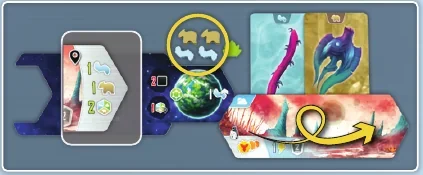
Upgrade Console
Spend 3 Energy  to upgrade 1 of your 3 Focus cards assigned to the Creation tokens. The Wild token does not have a card, it cannot be upgraded, and other Focus cards do not affect it. Choose a card assigned to the token and rotate/flip it so it shows the next tier effect. Next, if possible, retrieve the corresponding Creation token from the Main board (it does not activate a Star or provide Entropy). All Focus card effects are described in detail on the Player aids. Focus cards have 3 tiers:
Tier 0: No effect
Tier 1: An effect triggered when the corresponding Creation token is used to resolve the action.
Tier 2: A similar, more powerful effect.
Note: A reminder of the effects for upper tiers is printed on the bottom part of each Focus card.
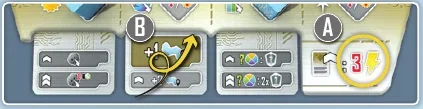
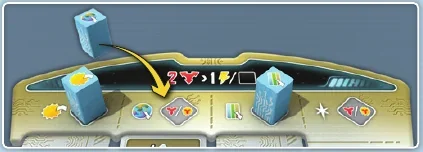
Example: Blue resolves an Upgrade Console action. They spend 3  to upgrade their Aggregate Planet Focus card (A). This is the first time they have upgraded this card, so they flip it from tier 0 to 1, unlocking a new effect that will be triggered each time the Planet Creation token is used (B).
Finally, since their Planet Creation token is on the Main board, they retrieve it and place it laid down on the corresponding space of their Console.
Take Life Cards
Take 2 Life cards from the offer. If one of the decks runs out of cards, immediately refill the offer from the other corresponding deck.
Note: There is no hand limit for Life cards.
Catch an Asteroid
Choose an available Asteroid tile, place it on an empty space of a Planet in your play area, and pay the indicated cost, either:
• 1 Lifeform token  from this Planet, or
• 2 Mass  .
.
If you chose either a  or
or  Asteroid, you must additionally spend 1 Mass
  . Then, activate the effect of the Planet on which it was placed.
Important: Each Planet can have up to 2 Asteroids placed on it.

This effect allows you to Catch an Asteroid without paying any cost.
Primordial Soup
Advance your Generator marker on the Generator track by 1, gain 1 Mass  and 1 Energy
  .
.
Note: The Generator track provides a discount only when resolving Activate Stars action from the Action space. It also determines how many Stars may benefit from the discount. The last three spaces on the track award you with an immediate VP bonus when you reach them. If you are on the last space of the track and would advance, you gain 3 VP instead.
The Traffic Bonus on the Primordial Soup action allows you to advance Lifeform tokens. Each advancement allows you to resolve one of the following:
• Gain 1 Bacteria  (on any Planet that has fewer than 5
  ),
),
• Exchange 1 Bacteria  for 1 Plant
  (on any Planet that has fewer than 5
  ),
),
• Exchange 1 Plant  for 1 Animal
  (on any Planet that has fewer than 5
  ).
).
Missions
During this step, players check if they have accomplished any of the Missions and/or Objectives as follows:
Fulfill a Mission
Each player starts the game with 2 Mission cards in their hand. If you meet the requirement at the top of your Mission card, you may resolve it by playing the card and gaining the reward. When you resolve a Mission you must discard both Mission cards from your hand.
All Missions are described in the Mission Cards appendix.
Objectives

Check if you have met any of the Main Objective conditions. If you have, you must advance your marker on the corresponding Objective track by 1 space for each condition met.
The rightmost (final) space can only be occupied by 1 player. Reaching the final space completes the Objective and brings the game toward its end.
All Main Objectives are described in the Main Objectives appendix.
Check if you have met the condition for the small and/or big Lifeform Objective. If you have, claim the top corresponding Objective tile. You may only claim 1 small Lifeform Objective of each type. When you claim the big Lifeform Objective tile, it brings the game toward its end.
Ready Creation Tokens
Stand all your Creation tokens that are lying down.
End of the Game
When any 2 of the Objectives are completed, the end of the game is triggered. It may be any combination of:
• A player marker reaching the rightmost space of the Main Objective track, and/or
• Claiming of the big Lifeform Objective tile.
When these are met, players finish the current round, then play one additional round and proceed to Final Scoring.
Variant: Alternative Objectives
Select Alternative objectives when creating the game to use the alternative Main Objective tiles for all players. This variant changes only the three Main Objective multipliers in final scoring:
| Track | Standard scoring quantity | Alternative scoring quantity |
|---|
| Stars | Your largest group of Planets of one type | Your Asteroids on spaces with a Lifeform cost |
| Asteroids | Your Planets with both a Biome and at least one played Life card | Your Planets with at least one Bacteria, one Plant and one Animal |
| Biomes | Your different Star types | The sum of your three Focus upgrade levels; level 2 counts twice |
For each track, multiply its track value by the corresponding quantity. For example, a Biome track value of 3 and Focus levels II, I and I score 3 × 4 = 12 VP.
Unchanged: Advance the Star track by developing Stars to tier III or IV, the Asteroid track by placing the first Asteroid in a Solar System, and the Biome track by fulfilling Biomes. The game-end trigger and all other scoring categories remain unchanged.
Final Scoring
All players sum up:
• The VP from their VP tokens.
• VP from claimed Lifeform Objective tiles.
• Their Main Objective VP based on progress and fulfilled conditions.
• 1 VP for every 4 remaining Life cards, Entropy, Mass and Energy (in any combination).
The player with the most VP wins the game!
In case of a tie, tied players share the victory.
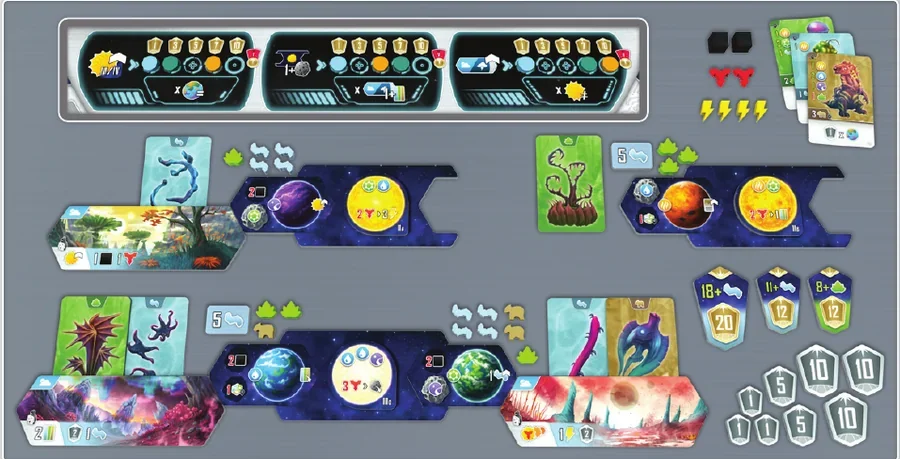
Final Scoring example: Teal sums up their VP:
• 43 VP gained during the game (VP tokens)
• 20 VP from the big Lifeform Objective tile (18+ Bacteria)
• 24 VP from the small Lifeform Objective tiles (11+ Bacteria, 8+ Plants)
• 45 VP from the Main Objectives:
• 3 VP for each Planet of the same color
• 7 VP for each Biome with at least 1 Life card (21 VP total)
• 7 VP for each different Star (21 VP total)
• 2 VP for remaining resources (3 Life cards, 2 Mass, 2 Entropy and 4 Energy).
The final score for the teal player is 134 VP.
Appendix
Mission Cards
All conditions apply only to your play area.
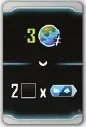
M1 Requirement: Have 3 Planets of different types. Reward: Gain 2 Mass for each Biome in your play area.
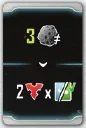
M2 Requirement: Have 3 different types of Asteroids. Reward: Gain 2 Entropy for each played Bacteria Life card and for each played Plant Life card.
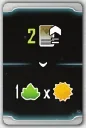
M3 Requirement: Have 1 Focus card upgraded to the 2nd tier. Reward: Gain 1 Plant for each Star in your play area.
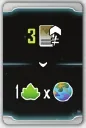
M4 Requirement: Have each Focus card upgraded at least once. Reward: Gain 1 Plant for each Planet in your play area.
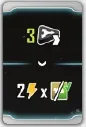
M5 Requirement: Advance your Generator marker at least 3 times. Reward: Gain 2 Energy for each played Plant Life card and for each played Animal Life card.
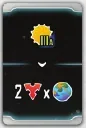
M6 Requirement: Have a IIIA Star. Reward: Gain 2 Entropy for each Planet in your play area.
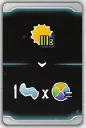
M7 Requirement: Have a IIIB Star. Reward: Gain 1 Bacteria for each Life Condition of one chosen type in your play area.
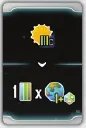
M8 Requirement: Have a IIIC Star. Reward: Take 1 Life card for each Planet with at least 1 Lifeform in your play area.
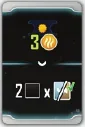
M9 Requirement: Have 3 Heat Life Condition icons in 1 Solar System. Reward: Gain 2 Mass for each played Bacteria Life card and for each played Animal Life card.
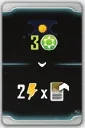
M10 Requirement: Have 3 Carbon Life Condition icons in 1 Solar System. Reward: Gain 2 Energy for each of your Focus card upgraded tiers.
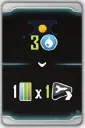
M11 Requirement: Have 3 Water Life Condition icons in 1 Solar System. Reward: Gain 1 Life card for each of your advancements on the Generator track.
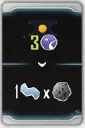
M12 Requirement: Have 3 Radiation Life Condition icons in 1 Solar System. Reward: Gain 1 Bacteria for each Asteroid in your play area.
Main Objectives

Advance when you: Evolve one of your Stars to tier 3 or tier 4.

Endgame Scoring: Gain the indicated VP times the number of Planets of one type in your play area (each player chooses their type).

Alternative Endgame Scoring: Gain the indicated VP times the number of your Asteroids on spaces with a Lifeform cost.
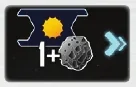
Advance when you: Place the 1st Asteroid in a Solar System.

Endgame Scoring: Gain the depicted VP for each of your Planets that has a Biome and at least one Life card.

Alternative Endgame Scoring: Gain the depicted VP times the number of your Planets with at least 1 Lifeform of each type.

Advance when you: Fulfill a Biome.

Endgame Scoring: Gain the depicted VP times the number of different Stars in your play area.

Alternative Endgame Scoring: Gain the depicted VP times the number of your Focus card upgraded tiers.
Animal Cards
All rewards are multiplied based on the condition (i.e., both Entropy and VP). All conditions apply only to your play area.
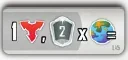
L45 Gain 1 Entropy and 2 VP for each Planet of one type (you choose which type).
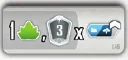
L46 Gain 1 Plant and 3 VP for each fulfilled Biome.
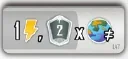
L47 Gain 1 Energy and 2 VP for each Planet of a different type.
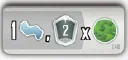
L48 Gain 1 Bacteria and 2 VP for each Carbon Planet.
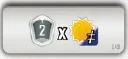
L49 Gain 2 VP for each Star of a different tier.
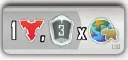
L50 Gain 1 Entropy and 3 VP for each Planet with at least 1 Animal.
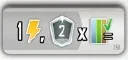
L51 Gain 1 Energy and 2 VP for each played Life card of one type (you choose which type out of: Bacteria/Plant/Animal).
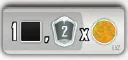
L52 Gain 1 Mass and 2 VP for each Heat Planet.
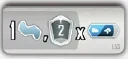
L53 Gain 1 Bacteria and 2 VP for each Biome.
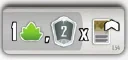
L54 Gain 1 Plant and 2 VP for each Focus card upgraded tier.

L55 Gain 3 VP for each Radiation Planet.
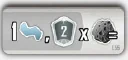
L56 Gain 1 Bacteria and 2 VP for each Asteroid of one type (you choose which type).
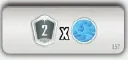
L57 Gain 2 VP for each Water Planet.
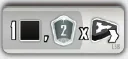
L58 Gain 1 Mass and 2 VP for each of your advancements on the Generator track.
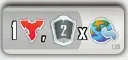
L59 Gain 1 Entropy and 2 VP for each Planet with at least 1 Bacteria.
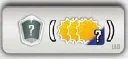
L60 Gain VP equal to the sum of tiers of all your Stars.
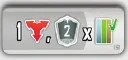
L61 Gain 1 Entropy and 2 VP for each played Life card.
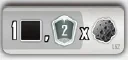
L62 Gain 1 Mass and 2 VP for each Asteroid.

L63 Gain 1 VP for each Planet.
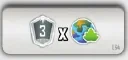
L64 Gain 3 VP for each Planet with at least 1 Plant.
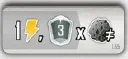
L65 Gain 1 Energy and 3 VP for each different Asteroid.

L66 Gain 9 VP.
Tier IV Stars
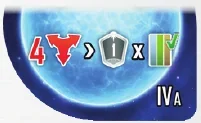
IV A Pay 4 Entropy to gain 1 VP for each Life card you played.
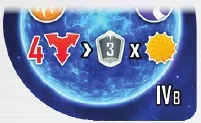
IV B Pay 4 Entropy to gain 3 VP for each Star in your play area.
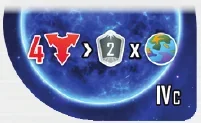
IV C Pay 4 Entropy to gain 2 VP for each Planet in your play area.
Symbol Index

Gain 1

Discount of 1

Star

Evolve a Star action

Asteroid

Catch an Asteroid action

Resolve Catch an Asteroid action without paying any costs

Heat Planet

Carbon Planet

Water Planet

Radiation Planet

Heat Life Condition

Carbon Life Condition

Water Life Condition

Radiation Life Condition

Any Life Condition

Have 1

End-game VP

Planet

Aggregate Planet action

Biome tile

Set Biome

Fulfilled (flipped) Biome Resolve Fullfill a Biome free action, without meeting the requirements.

Entropy (Resource)

Energy (Resource)

Mass (Resource)

Activate a single Star

Activate Stars action. Each Star may be activated only once per action.

Star tier number

Same type (player's choice)/ Matching type (i.e., of Life cards)

Different types (i.e., of Planets)

Spend 1 (“0” means no cost)

Immediate VP

Life card

Create Life action

Played Life card

Focus card

Upgrade Console action

Bacteria (Lifeform)

Plant (Lifeform)

Animal (Lifeform)

Any Lifeform

Advance the indicated Lifeform (i.e. Bacteria to Plant)

Advance on the Generator track

Local to the component you interact with